Advanced-etl-processor
Azure Legacy Blob Action
About
Azure Blob Action provides an easy way of working with Azure Blob storage. Files can be uploaded, downloaded or deleted, it is also possible to work with containers or create a list of files
Workflow tab

- The Write Variables option ensures that the “Package Action” logs the variable values into the “Action vars before log file” before the action is executed and logs the updated variable values into the “Action vars after log file” after the action completes.
- It is usually used for debugging and not recommended for production environment.
- It can be globally disabled using options dialogue
Advanced tab
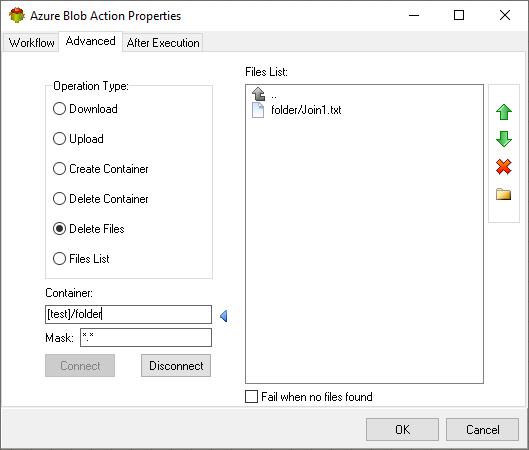
Click connect to view the storage content, buttons on the right allows to perform the download, upload, container creation and delete operation.

After execution tab
Specifies which variables will be set once action execution is completed

The Blob service is based on a flat storage scheme, not a hierarchical scheme. However, you may specify a character or string delimiter within a blob name to create a virtual hierarchy. For example, the following list shows valid and unique blob names.
/virtualdirectory

/virtualdirectory/data.txt
Notice that a string can be valid as both a blob name and as a virtual directory name in the same container:
To upload a file into virtual directory enter directory name after container name
Example
For more technologies supported by our ETL Software see Advanced ETL Processor Versions
Confused? Ask question on our ETL Forum