Advanced-etl-processor
Editions
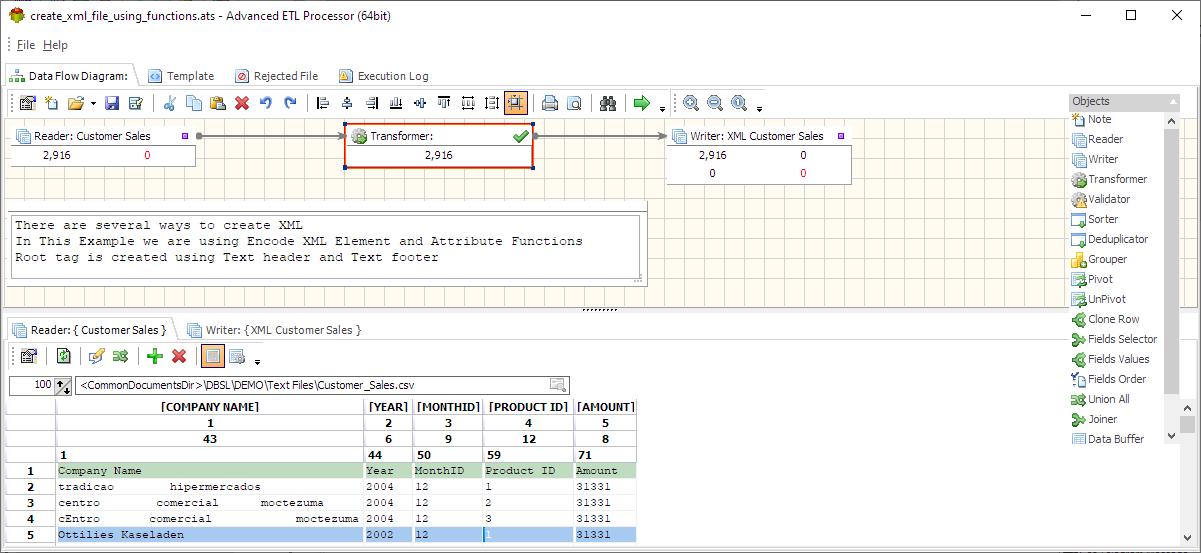
Standard Edition
The Standard Edition of the Advanced ETL Processor supports data transformations only. Data transformations are stored as files, making it a lightweight and efficient option for those who require basic ETL functionality.
This edition is typically recommended for occasional users or small-scale tasks where advanced features like automation and complex data workflows are not necessary.
Professional Edition
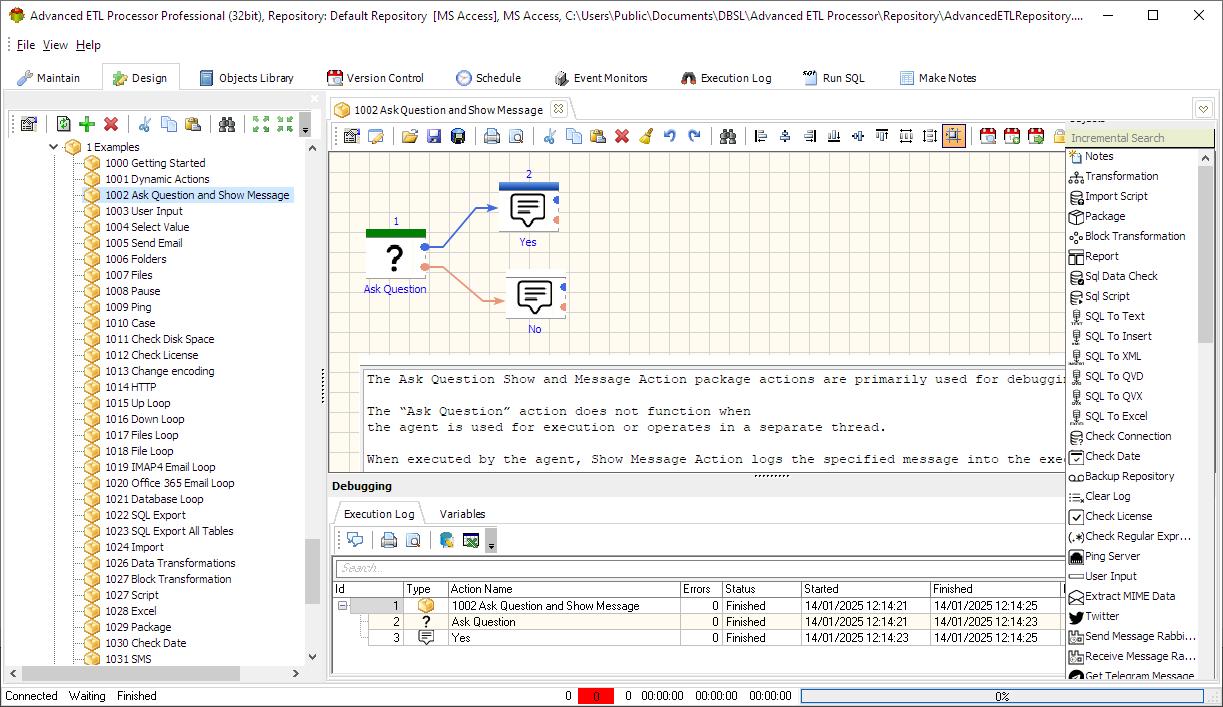
The Professional Edition of the Advanced ETL Processor supports the design of both data transformations and automation packages. This edition is typically recommended for developers who need to create and manage customized ETL processes.
With powerful features for designing data workflows and automating tasks, the Professional Edition offers a comprehensive solution for smaller-scale or development-focused environments.

Enterprise Edition
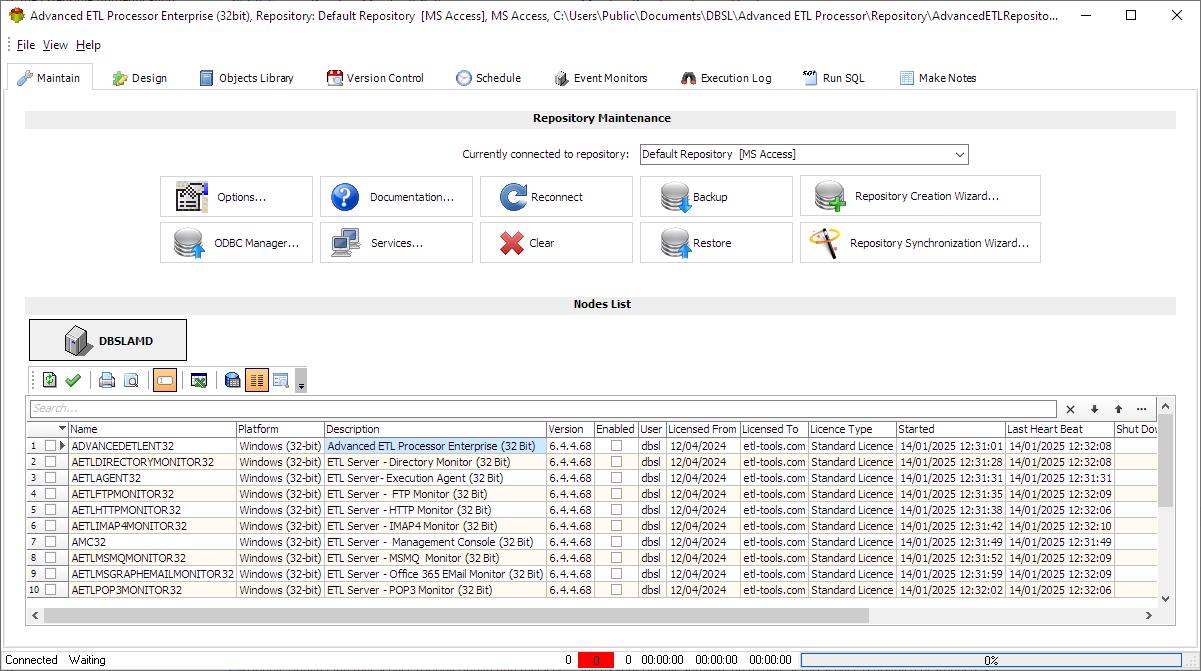
In addition to all the features available in the Professional Edition, the Enterprise Edition includes multiple Windows services designed for automated execution of ETL processes. These services enable more efficient, hands-off operation, making it ideal for large-scale, high-demand environments.
The Enterprise Edition is highly recommended for deployment on servers, as it is optimized for handling continuous and automated ETL tasks across multiple users and systems, ensuring smooth and uninterrupted data processing.
Repository
Both the Professional and Enterprise Editions of the Advanced ETL Processor use a repository database to store essential data. The structure of the repository database is identical for both editions, ensuring consistency across different configurations.
With this centralized repository, multiple users of the ETL software can connect to the same database and share data seamlessly. This facilitates collaboration among team members and enhances the overall efficiency of managing ETL processes across an organization.
Edition Comparison Table
| Feature | Standard | Professional | Enterprise |
|---|---|---|---|
| Data Sources | X | X | X |
| Multiple Delimited or Fixed width Text files | X | X | X |
| Multiple Excel files + Multiple Excel Spreadsheets | X | X | X |
| Multiple MS Access Databases + Multiple Tables | X | X | X |
| Multiple DBF Files | X | X | X |
| Any ODBC Compliant Database | X | X | X |
| Any JDBC Compliant Database | X | X | X |
| OLE DB | X | X | X |
| MS SQL Server, MS SQL Server CE, MS SQL Server EXPRESS | X | X | X |
| Oracle | X | X | X |
| MySql/MariaDB + SSL | X | X | X |
| PostgreSQL + SSL | X | X | X |
| Interbase/FireBird | X | X | X |
| SQLite | X | X | X |
| MongoDB | X | X | X |
| Multiple Source Files | X | X | X |
| Multiple Source Tables | X | X | X |
| SQL Select Statement as a Data source | X | X | X |
| POP3 Email server | X | X | X |
| IMAP4 Email Server | X | X | X |
| File System | X | X | X |
| XML | X | X | X |
| RSS Feed | X | X | X |
| HTTP (Webform processing) | X | X | X |
| HL7 Messages | X | X | X |
| SalesForce | X | X | X |
| Brightpearl | X | X | X |
| Google Spreadsheet | X | X | X |
| QlikView QVX files | X | X | X |
| QlikView QVD files | X | X | X |
| BDE | X | X | X |
| MSMQ | X | X | X |
| JSON | X | X | X |
| Clarion | X | X | X |
| Active Directory | X | X | X |
| Syslog | X | X | X |
| FTP Files List | X | X | X |
| Data Targets | |||
| Oracle database | X | X | X |
| MS SQL Server, MS SQL Server CE, MS SQL Server Express | X | X | X |
| MySql+ SSL | X | X | X |
| PostgreSQL+ SSL | X | X | X |
| Interbase/Firebird | X | X | X |
| Any ODBC Compliant Database | X | X | X |
| SQLite | X | X | X |
| SalesForce | X | X | X |
| OLE DB | X | X | X |
| Delimited or Fixed width Text file | X | X | X |
| MS Access Database | X | X | X |
| Microsoft Excel File | X | X | X |
| DBF File | X | X | X |
| Multiple Data Targets | X | X | X |
| SQL Insert Script | X | X | X |
| SMTP Server | X | X | X |
| File System | X | X | X |
| XML | X | X | X |
| HL7 | X | X | X |
| QlikView QVX files | X | X | X |
| QlikView QVD files | X | X | X |
| BDE | X | X | X |
| SMS Messages | X | X | X |
| MSMQ | X | X | X |
| Tableau TDE files | X | X | X |
| Tableau Hyper files | X | X | X |
| JSON | X | X | X |
| Stored Procedure | X | X | X |
| Loading method | |||
| Adding Records | X | X | X |
| Updating Records | X | X | X |
| Deleting Records | X | X | X |
| Adding new and Updating old Records | X | X | X |
| Adding new Records only | X | X | X |
| User-definable SQL for Adding, Updating and Deleting records | X | X | X |
| User-definable data formats | X | X | X |
| Transformation Functions | X | X | X |
| Execution of SQL script Before the loading | X | X | X |
| Execution of SQL script After the loading | X | X | X |
| Transformations | |||
| 200+ transformation functions | X | X | X |
| String Transformation | X | X | X |
| Number Transformation | X | X | X |
| Date Transformation | X | X | X |
| Multiple Date Formats | X | X | X |
| JSON Transformation | X | X | X |
| Translating coded values (e.g., if the source system stores 1 for male and 2 for female, but the warehouse stores M for male and F for female) | X | X | X |
| Deriving a newly calculated value (e.g., sale amount = qty * unit price) | X | X | X |
| Joining together data from multiple fields | X | X | X |
| Generating surrogate key values | X | X | X |
| Splitting a column into multiple columns (e.g., putting a comma-separated list specified as a string in one column as individual values in different columns) | X | X | X |
| Customized Transformation | X | X | X |
| Powerful Data Transformation Language | X | X | X |
| Python | X | X | X |
| Validation | |||
| 190+ Validation Functions | X | X | X |
| String Validation | X | X | X |
| Number Validation | X | X | X |
| Date Validation | X | X | X |
| Time Validation | X | X | X |
| Validation Against a list of values | X | X | X |
| Regular Expressions: Postcodes, Phone Numbers, VAT Numbers ETC | X | X | X |
| Additional Transformations | |||
| Sorting | X | X | X |
| Grouping | X | X | X |
| Deduplication | X | X | X |
| Fields Selector | X | X | X |
| Clone record | X | X | X |
| Summarizing multiple rows of data (e.g., total sales for each store, and for each region) | X | X | X |
| Transposing or pivoting (turning multiple columns into multiple rows or vice versa) | X | X | X |
| Data quality log | X | X | X |
| Other useful features | |||
| Full Support for Unicode | X | X | X |
| Rejected Records File | X | X | X |
| Transformation Log | X | X | X |
| Command Line Interface | X | X | X |
| Data Preview | X | X | X |
| Package debugging | X | X | |
| Library of Objects | X | X | |
| Support for python | X | X | X |
| Repository | |||
| MS Access | X | X | |
| MS SQL Server | X | X | |
| Oracle | X | X | |
| MySql | X | X | |
| Interbase | X | X | |
| PostgreSQL | X | X | |
| Advanced Objects | |||
| Projects | X | X | |
| Directories | X | X | |
| ODBC Connections | X | X | |
| JDBC Connections | X | X | |
| SQL Server Connections | X | X | |
| SQL Server Compact Edition Connections | X | X | |
| Oracle Connections | X | X | |
| MySQL Connections | X | X | |
| PostgreSQL Connections | X | X | |
| Interbase/Firebird Connections | X | X | |
| SQLite Connections | X | X | |
| Salesforce Connections | X | X | |
| OLE DB Connections | X | X | |
| SMTP Connections | X | X | |
| POP3 Connections | X | X | |
| IMAP4 Connections | X | X | |
| FTP Connections (FTP,FTPS,FTPES,SFTP) | X | X | |
| TCP/IP Connections (Used for HTPP and HL7) | X | X | |
| Data Transformations | X | X | |
| Email Templates | X | X | |
| SQL Scripts | X | X | |
| Reports Designer | X | X | |
| Scheduler | X | X | |
| Execution Log | X | X | |
| Packages | X | X | |
| Backup Repository | X | X | |
| Restore Repository | X | X | |
| Repository Creation Wizard | X | X | |
| Repository Synchronization | X | X | |
| Workflow Actions | |||
| Notes | X | X | |
| Transformation | X | X | |
| Import Script | X | X | |
| Package | X | X | |
| Block Transformation | X | X | |
| Report | X | X | |
| Sql Data Check | X | X | |
| Sql Script | X | X | |
| SQL To Text | X | X | |
| SQL To Insert | X | X | |
| SQL To XML | X | X | |
| SQL To QVD | X | X | |
| SQL To QVX | X | X | |
| SQL To Excel | X | X | |
| Check Connection | X | X | |
| Check Date | X | X | |
| Backup Repository | X | X | |
| Clear Log | X | X | |
| Check License | X | X | |
| Check Regular Expression | X | X | |
| Ping Server | X | X | |
| Extract MIME Data | X | X | |
| X | X | ||
| Send Message RabbitMQ | X | X | |
| Receive Message RabbitMQ | X | X | |
| Get Telegram Message | X | X | |
| Post Telegram Message | X | X | |
| Receive Message Apache Kafka | X | X | |
| Send Message Apache Kafka | X | X | |
| XSD Validation | X | X | |
| XSLT Transformation | X | X | |
| Send SMS | X | X | |
| External Application | X | X | |
| Compress | X | X | |
| Decompress | X | X | |
| Publish Tableau File | X | X | |
| Check If Sheet Exists | X | X | |
| Delete Sheet | X | X | |
| Add Sheet | X | X | |
| Rename Sheet | X | X | |
| Check Excel File | X | X | |
| Change Excel Extension | X | X | |
| Read Excel Cell Value | X | X | |
| Set Active Sheet | X | X | |
| Keep Sheet | X | X | |
| List Sheets | X | X | |
| Set Excel Cell Color | X | X | |
| Set Excel Cell Value | X | X | |
| Merge Excel Files | X | X | |
| Check Space | X | X | |
| Check Folder | X | X | |
| Create Folder | X | X | |
| Delete Folder | X | X | |
| Clear Folder | X | X | |
| Copy Folder | X | X | |
| Move Folder | X | X | |
| Change Encoding | X | X | |
| Compare Files | X | X | |
| Check File | X | X | |
| File MetaData | X | X | |
| Copy File(s) | X | X | |
| Move File(s) | X | X | |
| Rename File | X | X | |
| Delete File(s) | X | X | |
| Merge File(s) | X | X | |
| Change File(s) Attributes | X | X | |
| Files List | X | X | |
| Replace String | X | X | |
| Open File | X | X | |
| FTP Download | X | X | |
| FTP Upload | X | X | |
| FTP Create Folder | X | X | |
| FTP Delete Folder | X | X | |
| FTP Delete Files | X | X | |
| FTP Rename File | X | X | |
| FTP Files List | X | X | |
| FTP Move Files | X | X | |
| Encrypt | X | X | |
| Decrypt | X | X | |
| Set Variables | X | X | |
| Load Variable | X | X | |
| Save String | X | X | |
| Delete Variable | X | X | |
| File To Variables | X | X | |
| File Line To Variables | X | X | |
| Sql To Variables | X | X | |
| SQL Record To Variables | X | X | |
| Select Value | X | X | |
| Up Loop | X | X | |
| Down Loop | X | X | |
| File Loop | X | X | |
| Files Loop | X | X | |
| Database Loop | X | X | |
| Send Email | X | X | |
| Check Email Message | X | X | |
| Extract Email Attachments | X | X | |
| IMAP4 Email Loop | X | X | |
| IMAP4 Action | X | X | |
| Office 365 Email Loop | X | X | |
| Office 365 Email Action | X | X | |
| Amazon S3 Download | X | X | |
| Amazon S3 Upload | X | X | |
| Amazon S3 Create Bucket | X | X | |
| Amazon S3 Delete Bucket | X | X | |
| Amazon S3 Delete Files | X | X | |
| Amazon S3 Files List | X | X | |
| Azure Blob Download | X | X | |
| Azure Blob Upload | X | X | |
| Azure Blob Create Container | X | X | |
| Azure Blob Delete Container | X | X | |
| Azure Blob Delete Files | X | X | |
| Azure Blob Files List | X | X | |
| Cloud Download | X | X | |
| Cloud Upload | X | X | |
| Cloud Create Folder | X | X | |
| Cloud Delete Folder | X | X | |
| Cloud Delete Files | X | X | |
| Cloud Files List | X | X | |
| Script | X | X | |
| Case | X | X | |
| Pause | X | X | |
| User Input | X | X | |
| Ask Question | X | X | |
| Show Message | X | X | |
| HTTP | X | X | |
| Unattended Execution | |||
| Execution Agent | X | ||
| Directory Monitor | X | ||
| FTP Monitor | X | ||
| HTTP Monitor | X | ||
| POP3 Monitor | X | ||
| IMAP4 Monitor | X | ||
| MS MQ Monitor | X |
For more technologies supported by our ETL Software see Advanced ETL Processor Versions
Confused? Ask question on our ETL Forum