Advanced-etl-processor
Text Reader
About Text Reader
The Reader can extract data from both delimited and fixed-width files, with all parameters fully user-configurable. It also supports skipping a specified number of header and footer lines.
Properties
Tip: To change Reader properties double click on it.
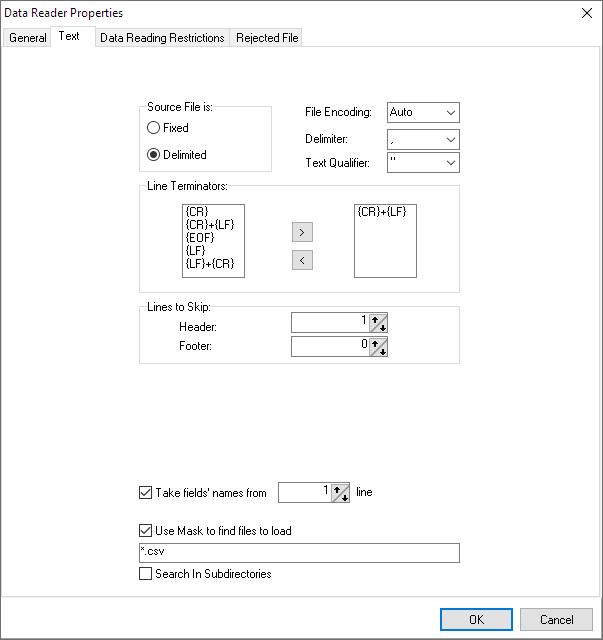
The Text tab defines the format of the source text file.
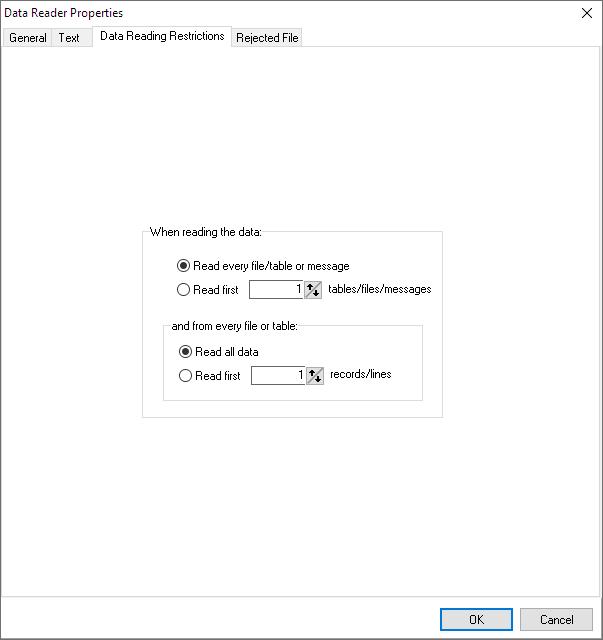
The Data Reading Restriction tab can be used to speed up testing while working with a very large file or table.
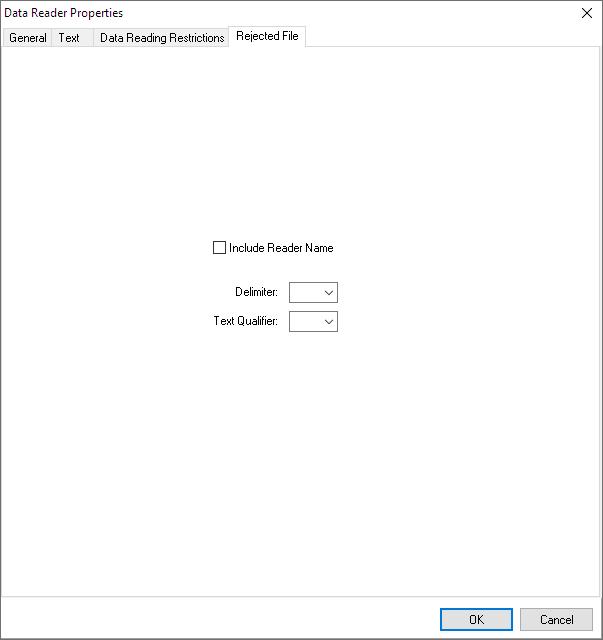
The Rejected records file can have a pre-defined format. The Rejected File tab allows the user to set this up.
Data View
One of the useful features of the
Advanced ETL Processor
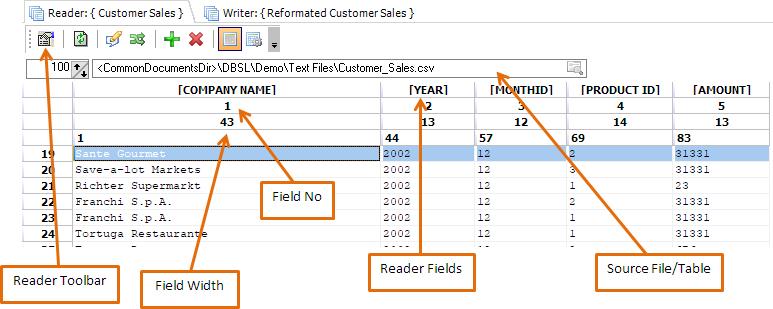
is the ability to view the resultant data prior, or subsequently processed. The data view looks like a spreadsheet view as follows:
Data View Toolbar
The data view toolbar allows you to change various aspects of the data view, such as refreshing data as it changes and setting properties for how the data will look. You can also switch between viewing of the data and checking to see how the data is defined i.e. the data dictionary, via the “Switch to Data Definition View”.

- Reader Properties
- Refresh Data
- Edit file in an external editor
- Swap Reader and Writer
- Add a new column
- Delete the last column
- Switch to Data View
- Switch to Data Definition View
Data Definition View
Note: You may rename fields and change the field’s width here. (Works only for text files)
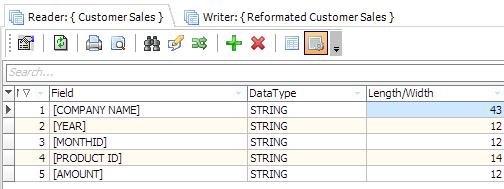
Data Definition View Toolbar
Within the Data Definition view, you can perform a number of actions. These allow you to change how you want data to be represented in the data view screens. The navigation also allows switching between views.

- Reader Properties
- Refresh Data
- Print Data Definition
- Print Preview Data Definition
- Find
- Edit file in an external editor
- Swap Reader and Writer
- Add a new column
- Delete the last column
- Switch to Data View
- Switch to Data Definition View
Popup Menu
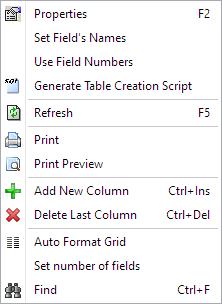
- Set Field’s Names takes field names from a certain file line.
- It is also possible to copy and paste fields from excel
Video Tutorials
For more technologies supported by our ETL Software see Advanced ETL Processor Versions
Confused? Ask question on our ETL Forum