Advanced-etl-processor
Script Legacy Action
About
Script package action allows writing additional complicated checks and validations.
Two languages are supported:
- Pascal Script
- Python
Pascal Script Example
Var I : Integer;
begin
 I:=1;
 SetVariable('I',I);
 I:=GetVariable('I');
 WriteToLog('Error',I);
 Result:=True;
end;
Result:=True; => Success
Result:=False; => FailurePython Example
import etltools
etltools.SetVariable('<Time>',15)
s=etltools.GetVariable('<Name>')
etltools.WriteToLog('Done')
Result.Value = 0
Result.Value = 1 => Success
Result.Value = 0 => FailureWorkflow tab
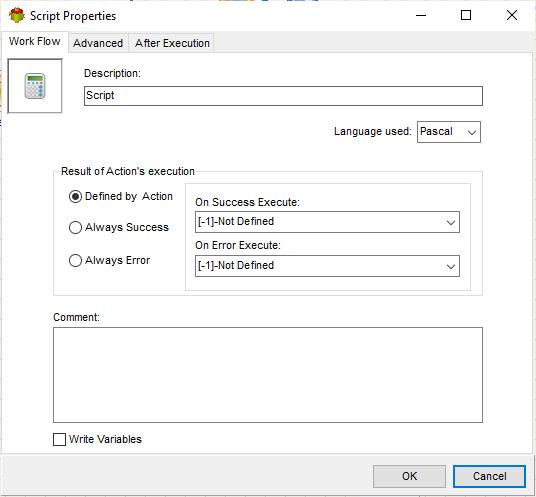
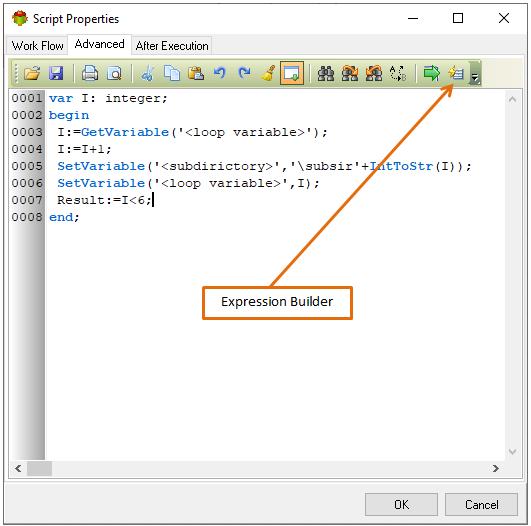
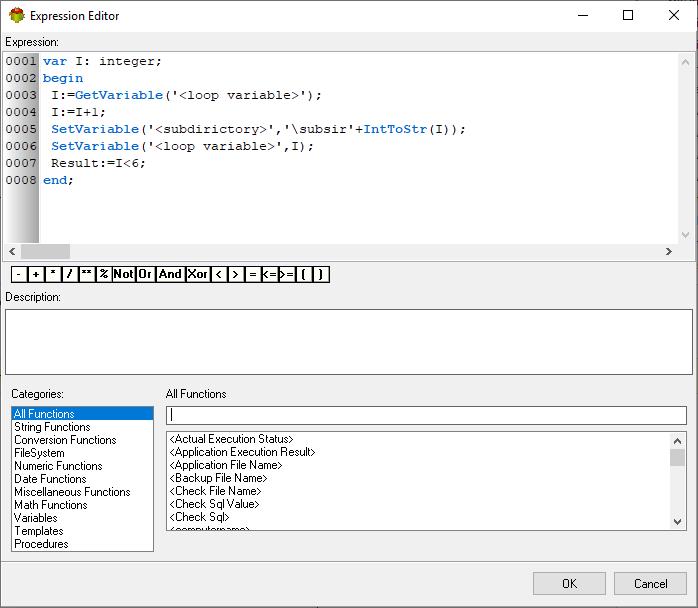
Expression builder only works with Pascal script
- The Write Variables option ensures that the “Package Action” logs the variable values into the “Action vars before log file” before the action is executed and logs the updated variable values into the “Action vars after log file” after the action completes.
- It is usually used for debugging and not recommended for production environment.
- It can be globally disabled using options dialogue
Advanced tab
After execution tab
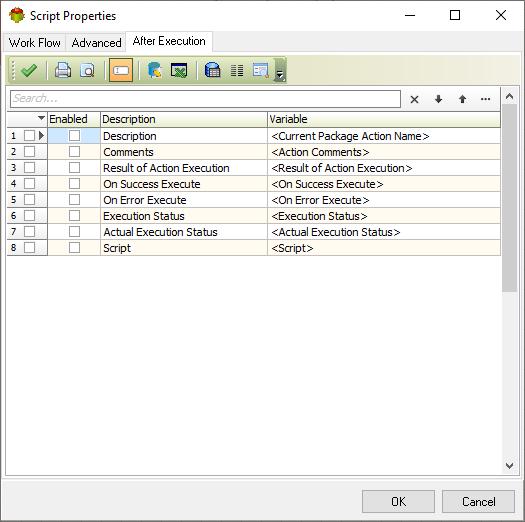
Specifies which variables will be set once action execution is completed
Script example: Working with Crystal reports
var
CrystalRFileName: String;
ExportFileName: String;
CrystalRApplication, CrystalReport: Variant;

begin
CrystalRFileName := GetVariable('<CrystalRFileName>') ;
ExportFileName := GetVariable('<ExportFileName>') ;
CrystalRApplication := Null;
CrystalReport := Null;

try
CrystalRApplication := CreateOleObject('CrystalRunTime.Application');
CrystalReport := CreateOleObject('CrystalRunTime.Report');
//Result := CrystalRApplication.GetVersion;

except
CrystalRApplication := Null;
CrystalReport := Null;
end;

If VarIsNull(CrystalRApplication) = False then
begin
try
//Result := CrystalRApplication.GetVersion;

    try
    CrystalReport := CrystalRApplication.OpenReport(CrystalRFileName);
    CrystalReport.ExportOptions.FormatType := 31;
    CrystalReport.ExportOptions.DiskFileName := ExportFileName;
    CrystalReport.ExportOptions.DestinationType := 1;
    CrystalReport.ExportOptions.PDFExportAllPages := True;
    CrystalReport.Export(False);
     Result := CrystalReport.ApplicationName;
    except
    CrystalReport := Null;
    end;
    finally

       //Result := CrystalRApplication.CanClose;
       Result := true;
     end;

end;
end;
Python example: Killing Microsoft Excel or any other app
import etltools, subprocess
def main():
    try:
        # Check if Excel is running
        if subprocess.call('tasklist /FI "IMAGENAME eq excel.exe" | find /I /C "excel.exe"', shell=True) == 0:
            # Excel is running, attempt to kill it
            subprocess.run(['taskkill', '/F', '/IM', 'excel.exe'], check=True, stdout=subprocess.DEVNULL, stderr=subprocess.DEVNULL)
            etltools.SetVariable('excel_status', 'Excel was running and has been terminated.')
        else:
            # Excel is not running
            etltools.SetVariable('excel_status', 'Excel was not running. No action taken.')

        Result.Value = 1  # Success in both cases
    except subprocess.CalledProcessError as e:
        etltools.SetVariable('excel_status', f"Failed to kill Excel: {str(e)}")
        Result.Value = 0  # Failure
    except Exception as e:
        etltools.SetVariable('excel_status', f"An unexpected error occurred: {str(e)}")
        Result.Value = 0  # Failure

main()
Note: This script was created by one of our customers
- Date Formats
- Supported Functions List
- Best Practice for Calculations
- Scripting Language
- Working with python
- Download Python
For more technologies supported by our ETL Software see Advanced ETL Processor Versions
Confused? Ask question on our ETL Forum