Advanced-etl-processor
External Application Legacy Action
About
External Application Action is used to execute scripts and programs. This enhances the existing functionality already built into the system and provides an even greater degree of flexibility.
Workflow tab
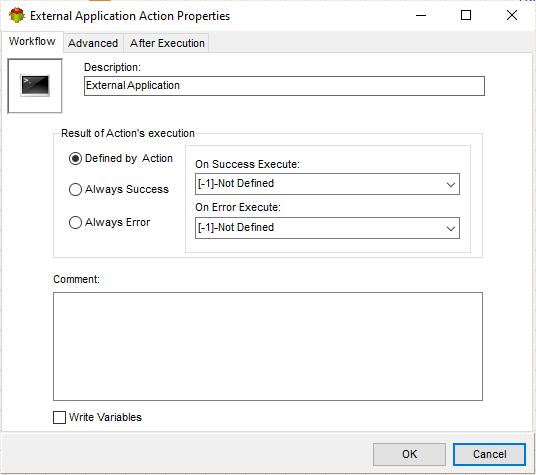
- The Write Variables option ensures that the “Package Action” logs the variable values into the “Action vars before log file” before the action is executed and logs the updated variable values into the “Action vars after log file” after the action completes.
- It is usually used for debugging and not recommended for production environment.
- It can be globally disabled using options dialogue
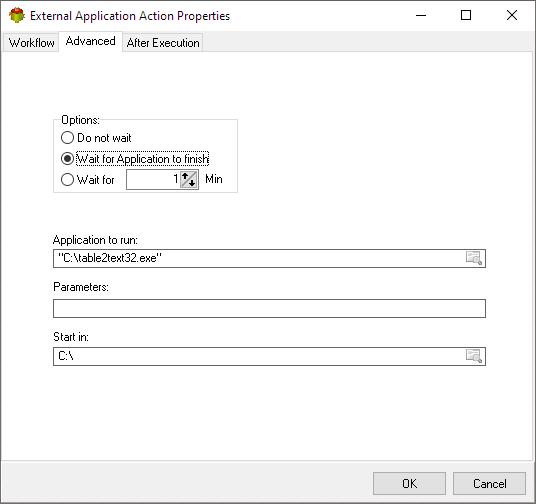
Advanced tab
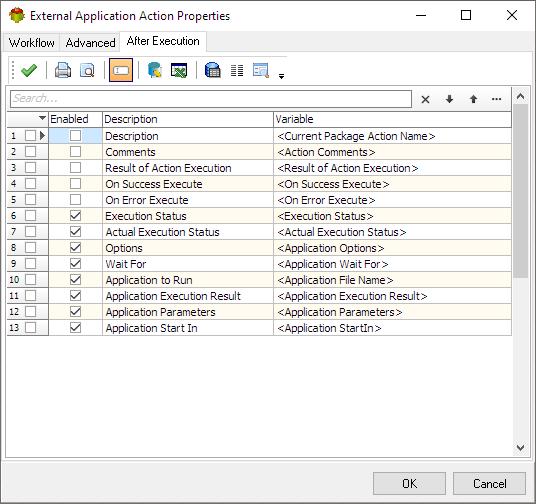
After execution tab
Specifies which variables will be set once action execution is completed
Custom Icon
To change External Application Action double click on the icon and select bmp file. To clear it double click on icon and click cancel.
This action is considered a Legacy action. We recommend using the new
Dynamic Actions
for all new projects.
For more technologies supported by our ETL Software see Advanced ETL Processor Versions
Confused? Ask question on our ETL Forum