Advanced-etl-processor
Export Data Legacy Action
About
Export Data Package Action provides and easy way of saving all tables from the database into the files.
Workflow tab

- The Write Variables option ensures that the “Package Action” logs the variable values into the “Action vars before log file” before the action is executed and logs the updated variable values into the “Action vars after log file” after the action completes.
- It is usually used for debugging and not recommended for production environment.
- It can be globally disabled using options dialogue
Connection tab
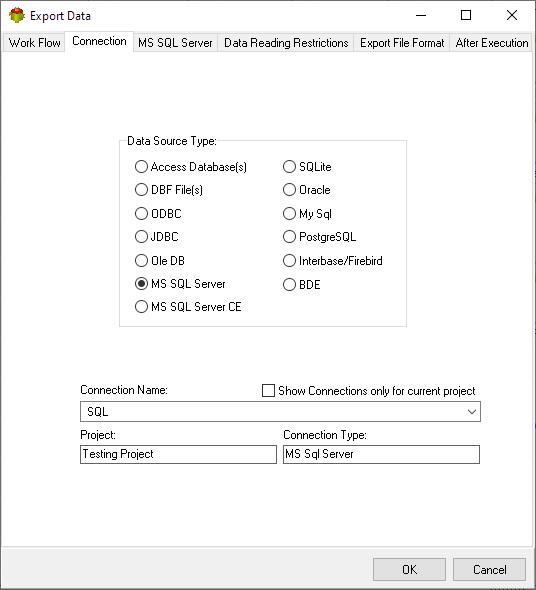
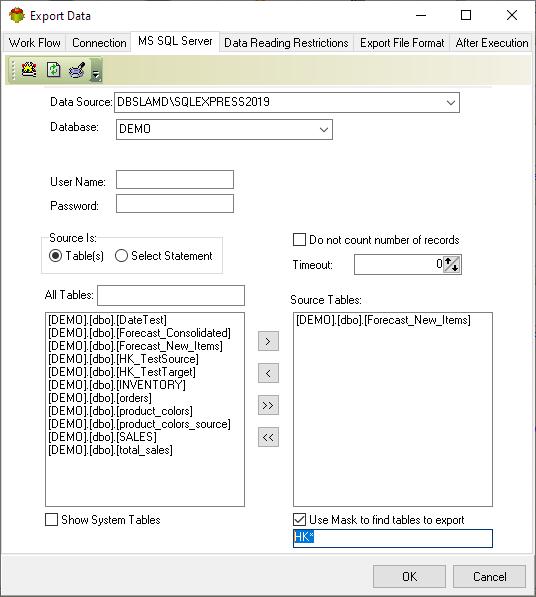
Note: One of the major benefits of Data Export objects is that the user can specify the mask and export all tables from the database.
Data reading restrictions tab

Export file format tab
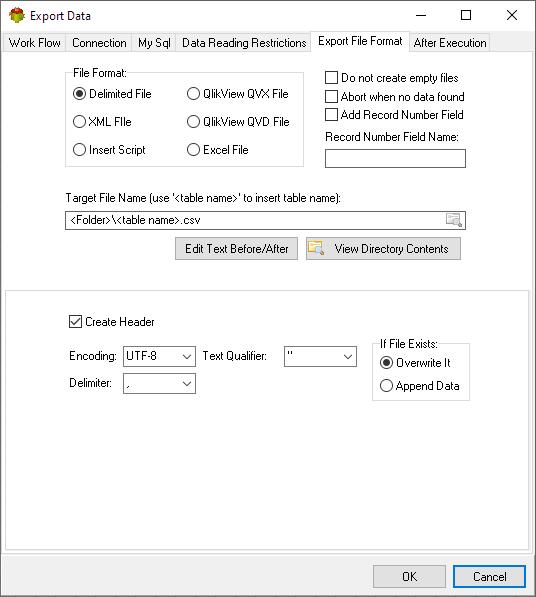
After execution tab
Specifies which variables will be set once action execution is completed

Video Tutorial
We have more videos on ETL-Tools.com YouTube Channel,
Please take a look and subscribe to stay updated with the latest content.
For more technologies supported by our ETL Software see Advanced ETL Processor Versions
Confused? Ask question on our ETL Forum