Advanced-etl-processor
SQL To Insert Dynamic Action
About
The SQL To Insert Dynamic Action streamlines the process of exporting SQL datasets into an INSERT SQL script. This action retrieves data dynamically from a SQL query or database table and generates a sequence of INSERT statements, which can be used to replicate the dataset in another database. It is particularly useful for database migration, data backups, or creating test data for development and testing environments. By automating the generation of INSERT scripts, this action eliminates the need for manual scripting, reduces errors, and ensures consistency when transferring data across databases.
Metadata tab
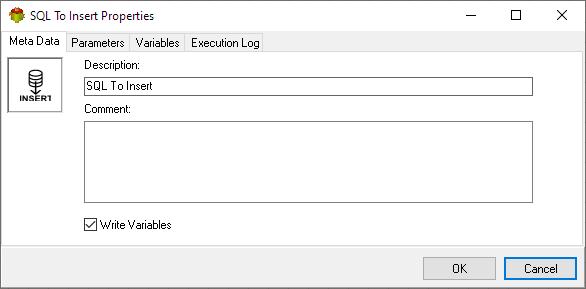
- The Write Variables option ensures that the “Package Action” logs the variable values into the “Action vars before log file” before the action is executed and logs the updated variable values into the “Action vars after log file” after the action completes.
- This option is typically used for debugging and is not recommended in a production environment.
- It can be globally disabled through the options dialog .
Parameters tab

Tips
- The “Replace Variables” parameter is used to substitute variables within SQL statements.
- When the “UseEmbeddedSQL” is set to True EmbeddedSQL is used, otherwise SQL Script/Lookup is used.

Selecting Script

Editing Script

Selecting Connection

Variables tab
The Variables tab defines which variables are updated during the execution of the action.

Execution log tab
The Execution Log tab is populated after the action has been executed. Double-click a row to view the detailed execution log.

Related Actions
- SQL To Text Dynamic Action
- SQL To XML Dynamic Action
- SQL To Insert Dynamic Action
- SQL To Excel Dynamic Action
- SQL To QVD Dynamic Action
- SQL To QVX Dynamic Action
Useful Links
For more technologies supported by our ETL Software see Advanced ETL Processor Versions
Confused? Ask question on our ETL Forum