Advanced-etl-processor
External Application Dynamic Action
About
The External Application Action is used to execute scripts and programs. This enhances the existing functionality already built into the system and provides an even greater degree of flexibility.
Metadata tab
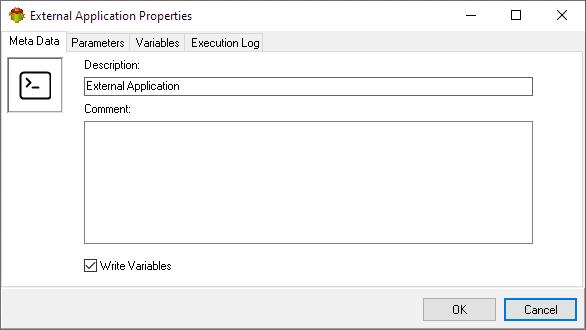
- The Write Variables option ensures that the “Package Action” logs the variable values into the “Action vars before log file” before the action is executed and logs the updated variable values into the “Action vars after log file” after the action completes.
- This option is typically used for debugging and is not recommended in a production environment.
- It can be globally disabled through the options dialog .
Parameters tab
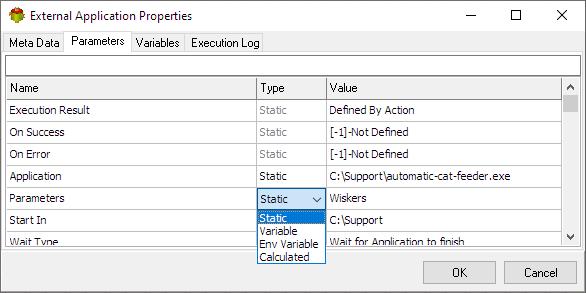
To minimize potential issues, avoid using mapped drives and opt for the UNC (Universal Naming Convention) path instead. Mapped drives can lead to problems with accessibility and permissions, especially in networked environments or automated processes. UNC paths provide a direct, reliable way to reference network resources without relying on local drive letters, ensuring better stability and consistency across different systems and users.
Variables tab
The Variables tab defines which variables are updated during the execution of the action.
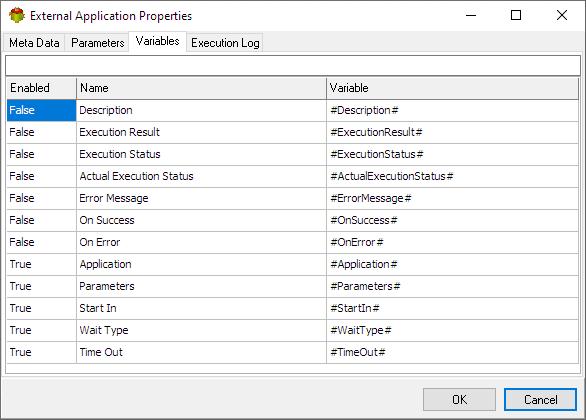
Tip: Double-click a variable name to enable or disable it.it
Execution log tab
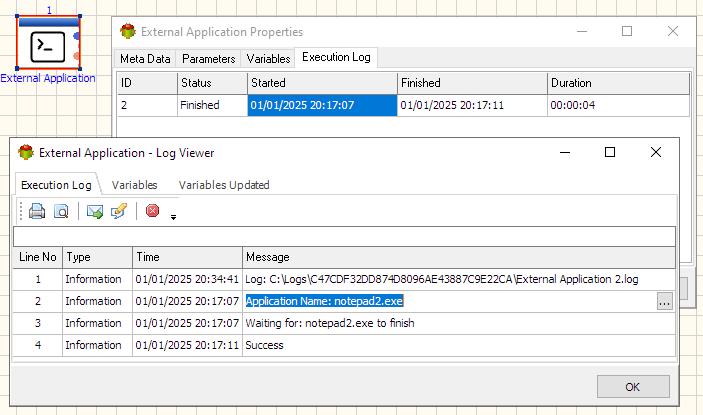
The Execution Log tab is populated after the action has been executed. Double-click a row to view the detailed execution log.
Calculated Parameter example
Pascal

begin
 if DayOfWeek(Now)=7 then
    begin
     Result:='Whiskas';
    end
 else
    begin
     Result:='Purina';
    end;
end
Python
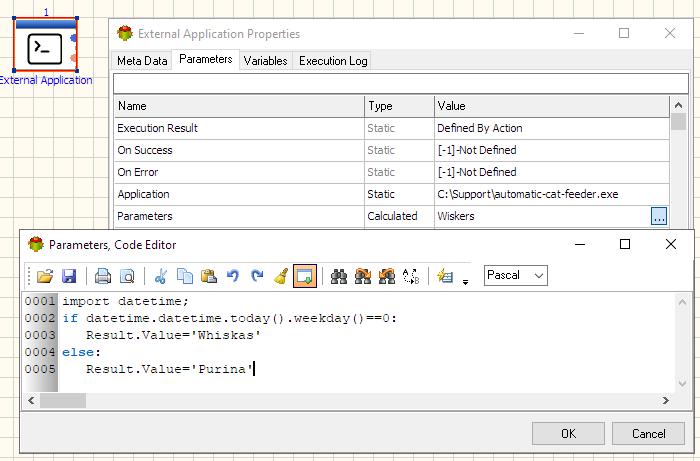
import datetime;
if datetime.datetime.today().weekday()==0:
   Result.Value='Whiskas'
else:
   Result.Value='Purina'
Useful Links
For more technologies supported by our ETL Software see Advanced ETL Processor Versions
Confused? Ask question on our ETL Forum