Advanced-etl-processor
Running SQL Scripts
SQL Scripts can be run before and after the transformation.
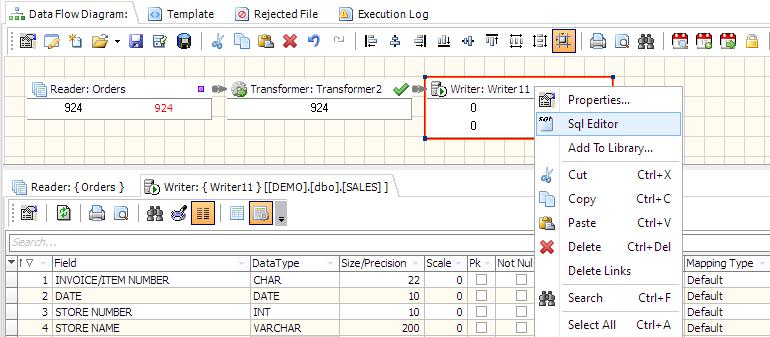

SQL Editor Toolbar

- Load Script from a file
- Save Script to a file
- Print Preview
- Clear Script
- Cut
- Copy
- Paste
- Undo
- Clear
- Enable autocomplete
- Find
- Find Next
- Find Previous
- Replace
- Run
- Stop on error
- Show/Hide Log
Always Use set sql nocount on for Microsoft SQL Server Stored Procedures and Scripts
Also remove comments from SQL
For more technologies supported by our ETL Software see Advanced ETL Processor Versions
Confused? Ask question on our ETL Forum