Active-table-editor
Active Table Editor Getting Started
Logging in
- Start Active Table Editor
- Login Box will appear
- Enter username and password to log in
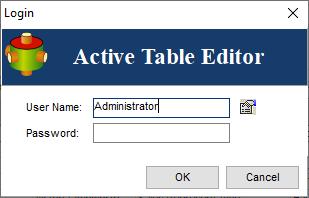
Note: The default password for user Administrator is Administrator
You may bypass the login screen by running the application as follows
ATEditor.exe User=Administrator;Password=AdministratorRepository Creation
Use wizard provided to create the repository or alternatively you may use default MS Access Repository.
Confused? Ask question on our ETL Forum