Deep-bin
Deep Bin Form Designer
Forms provide a flexible way of editing data. The look and feel are fully customizable. The inputs can be grouped using cards or tabs.
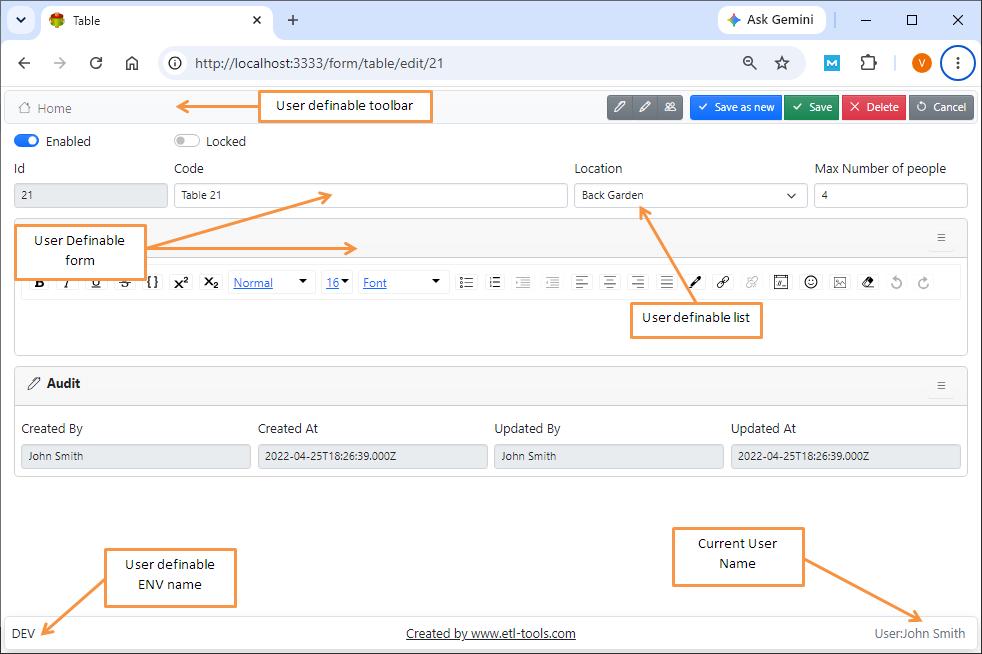
Creating New Form
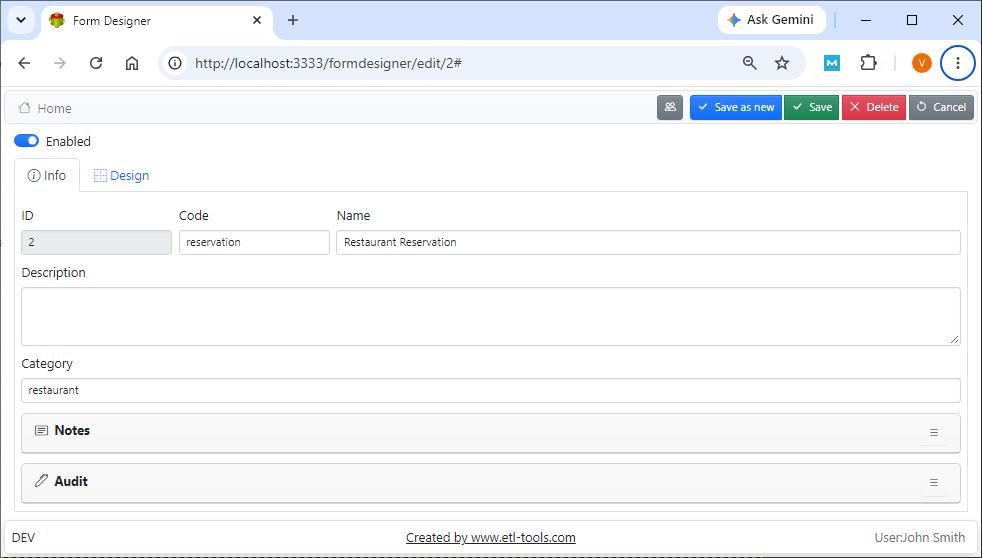
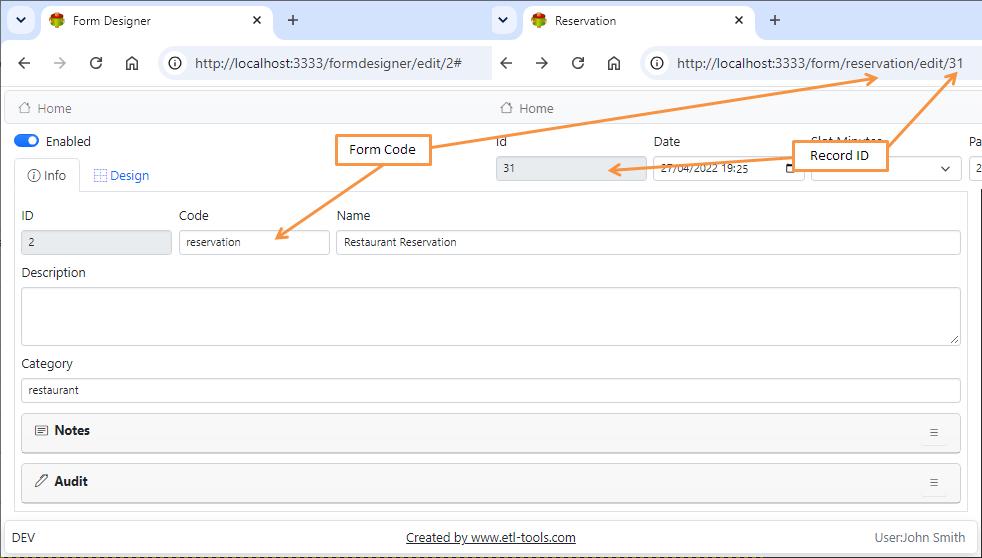
Form Designer
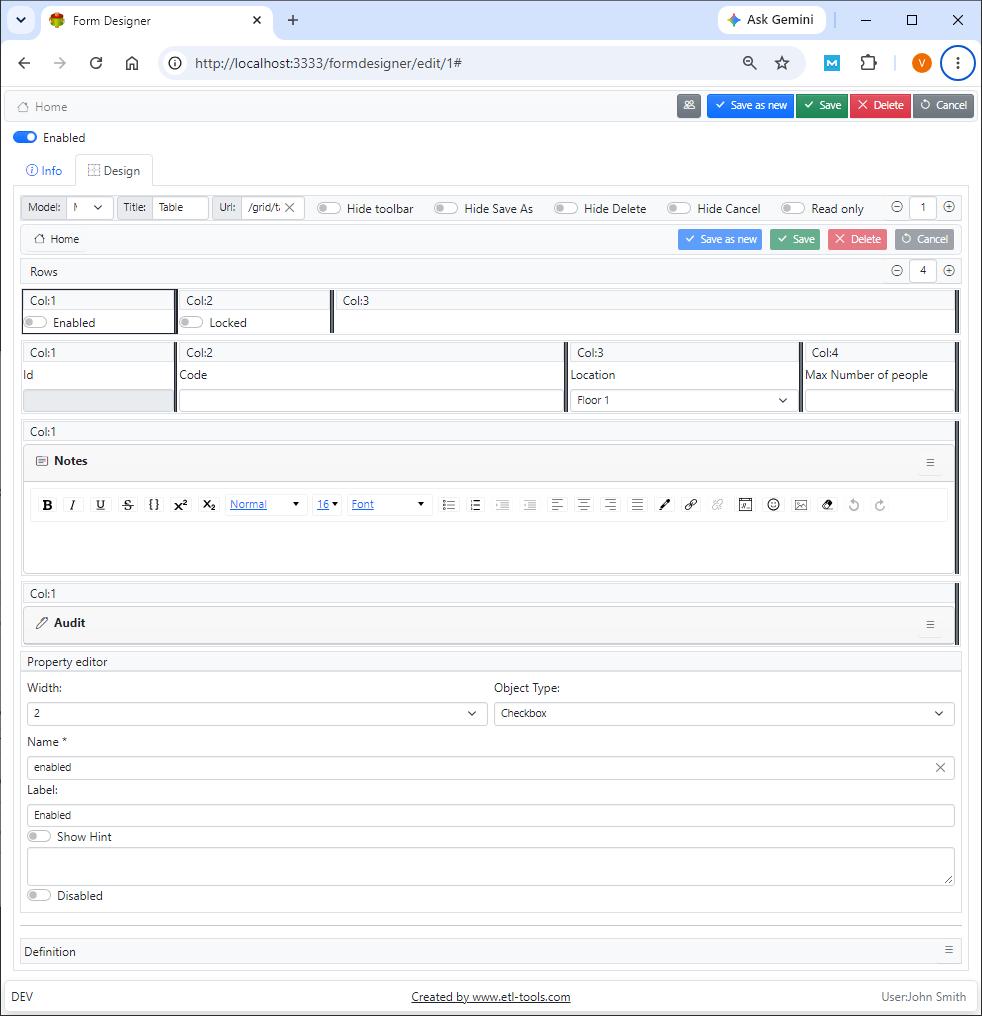
Model
Mode is an object representation of a database table. The models are designed to give maximum flexibility to the user. They are able to store almost any data. Every grid is based on a single model
Title
Web page title
Url
The URL is used when the user presses the cancel, delete or save buttons
Hide toolbar
This option hides the toolbar at the top. The toolbar provides a convenient way of accessing Deep bin components
Hide save as
Hides save as new button
Hide delete
Hides delete button
Read Only
Makes all objects inside the form read-only and hides the save button
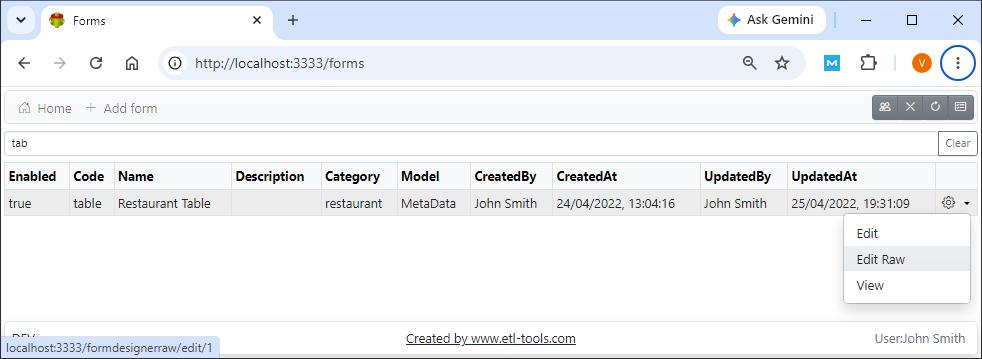
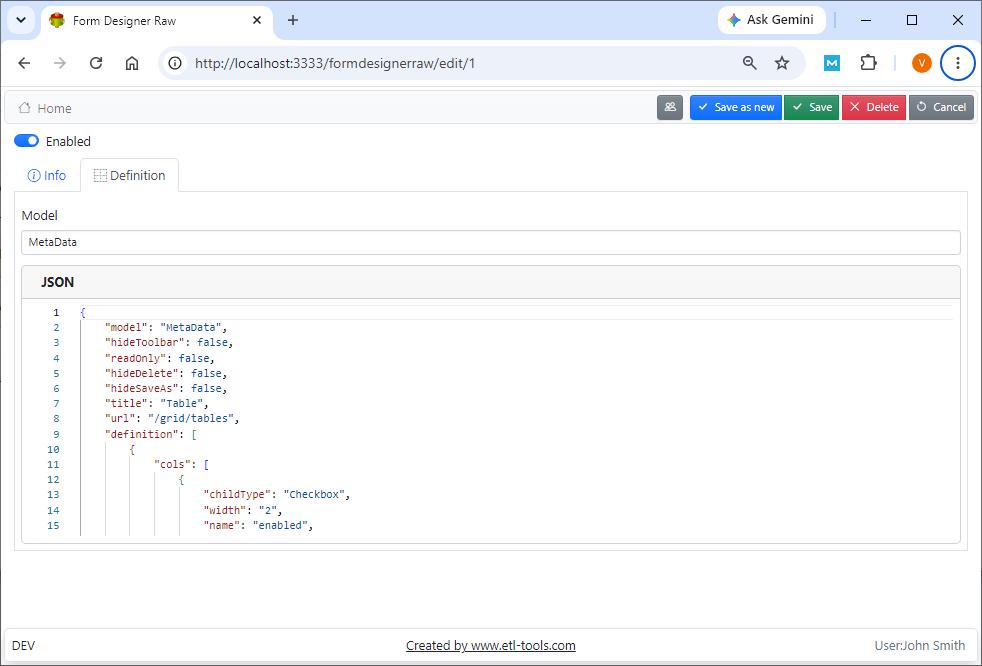
Editing Form in RAW JSON Format
Note: The result of the form design is stored in JSON format in the database or file system. It is possible to edit JSON directly using the RAW editor
Confused? Ask question on our ETL-Tools Support Forum