Deep-bin
Deep Bin Menus
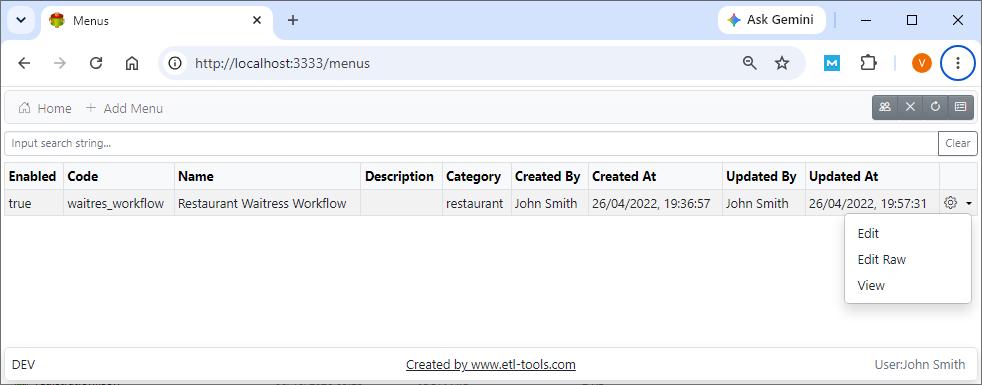
Menu provides a flexible way of presenting the list of actions available to the user
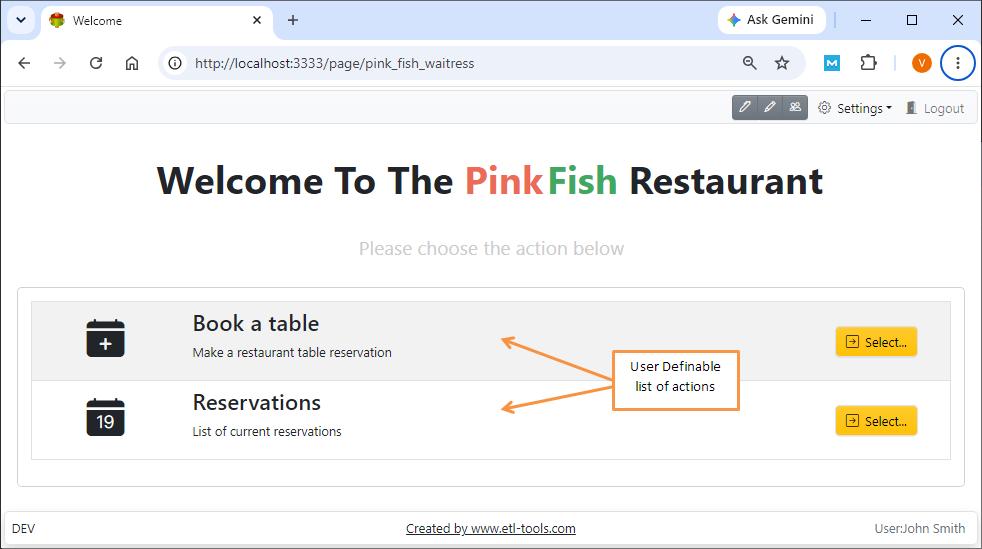
Creating New Menu
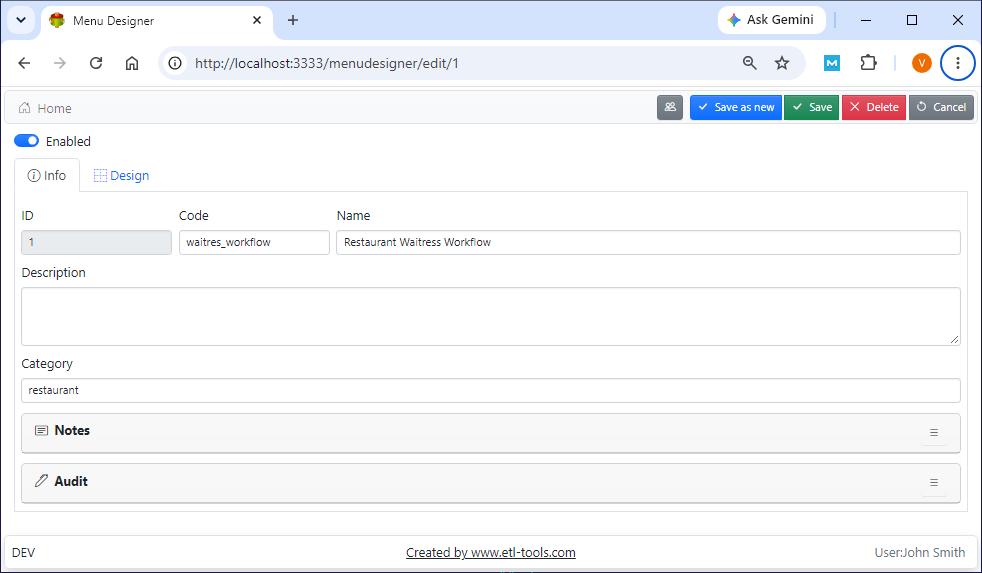
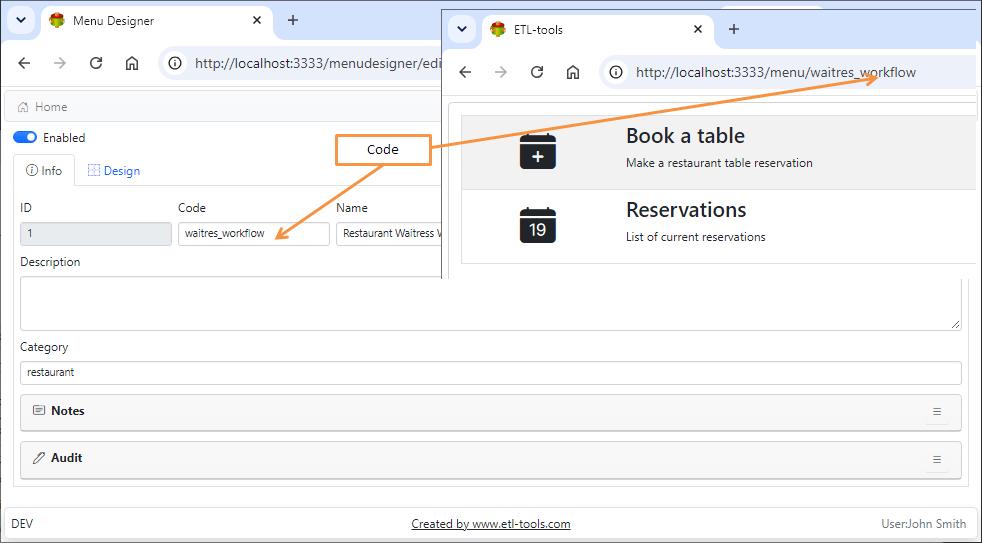
Note: Code is a unique key, it is used as a part of the link to access the Menu
Menu Designer
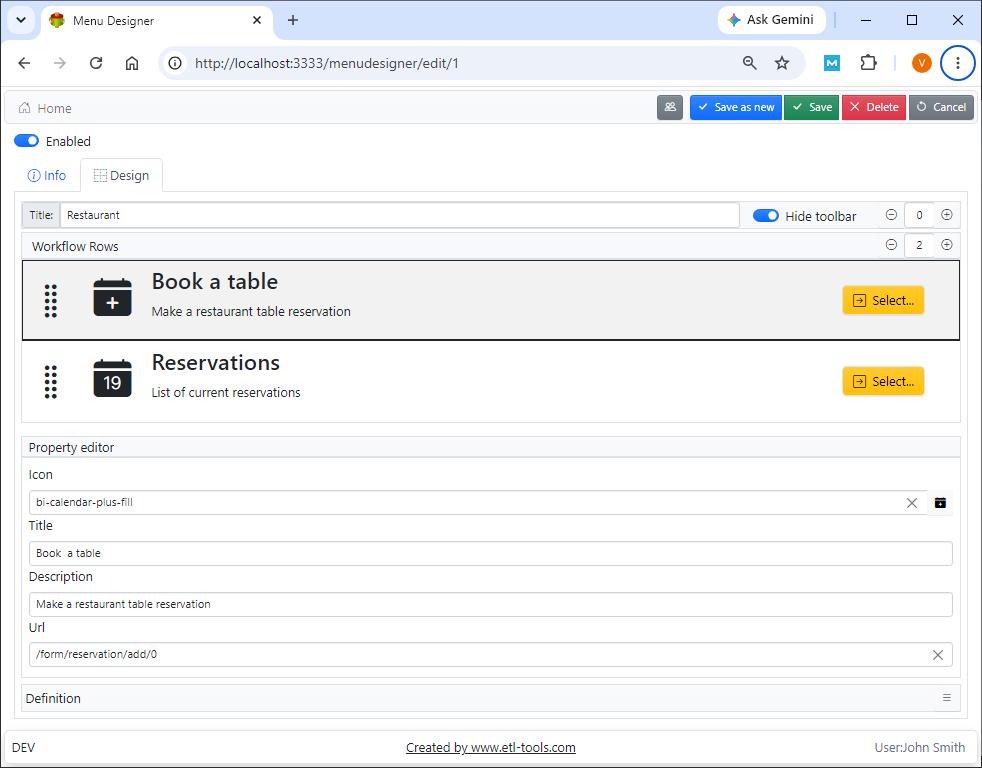
Title
Menu page title
Hide toolbar
The toolbar provides a convenient way of accessing Deep bin components
Menu Rows
Icon
Self-explanatory
Title
Self-explanatory
Description
Self-explanatory
Url
Action URL
Note: Use drag and drop to reorder rows
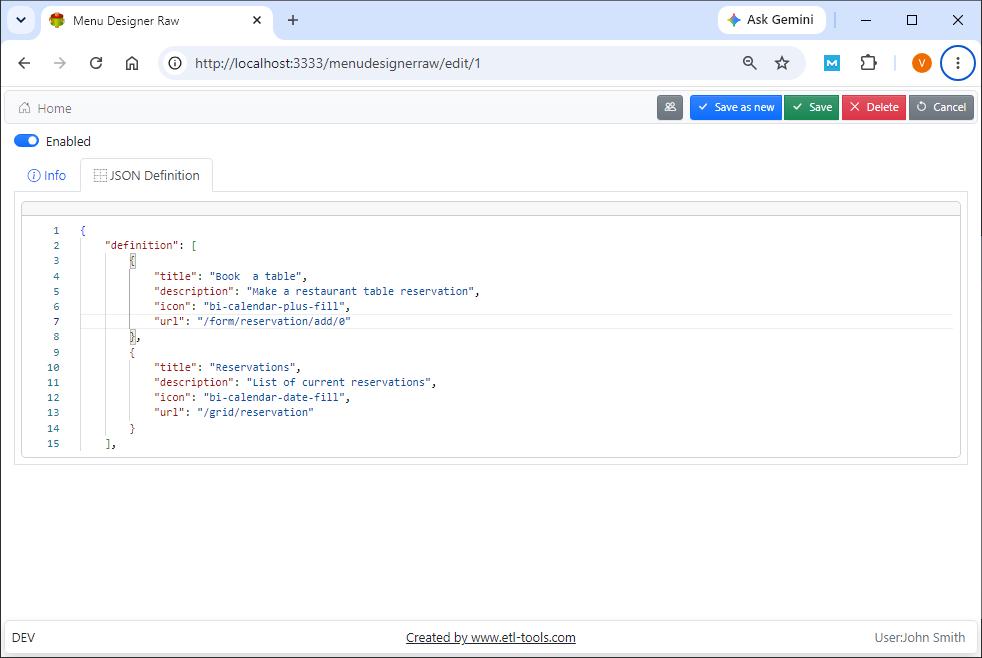
Editing Menu in RAW JSON Format
Note: The result of menu design is stored in JSON format in the database or file system. It is possible to edit JSON directly using RAW editor
Confused? Ask question on our ETL-Tools Support Forum