0021 Replace values in all fields
A practical Advanced ETL Processor example for building, testing, and adapting one automation workflow.
Use this example to build one working automation package, test it safely, and then adapt it to your own files, folders, or data rules. Start small. Automation is helpful; automated mistakes are just faster mistakes.
Question from the customer
We have just started to look at ETLing a CSV file from a new source that has over 50 columns and a mixture of data types: numeric, date, and alpha.
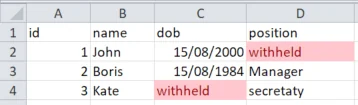
The problem is that they have filled some values with the text 'withheld'. This includes columns that may contain dates or numbers.
Is there a neat, concise way to convert 'withheld' to NULL before performing any downstream transformation, for example formatting a date as YYYY-MM-DD?
Data example
Answer
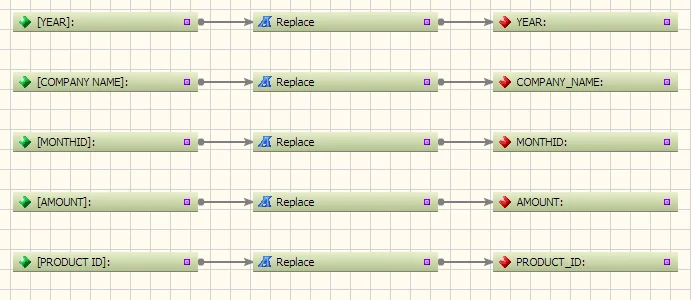
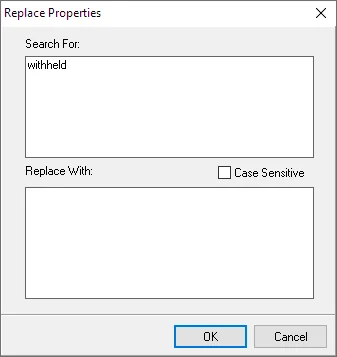
Yes. For a small, narrow file, use the Replace transformation function to convert 'withheld' to NULL before the rest of the transformation runs.
For very wide files, use the field values transformation instead. It converts each row into field name and field value pairs, which lets you apply the same cleanup rule across every column without building 50 separate replacements. Much better than playing whack-a-mole with columns.
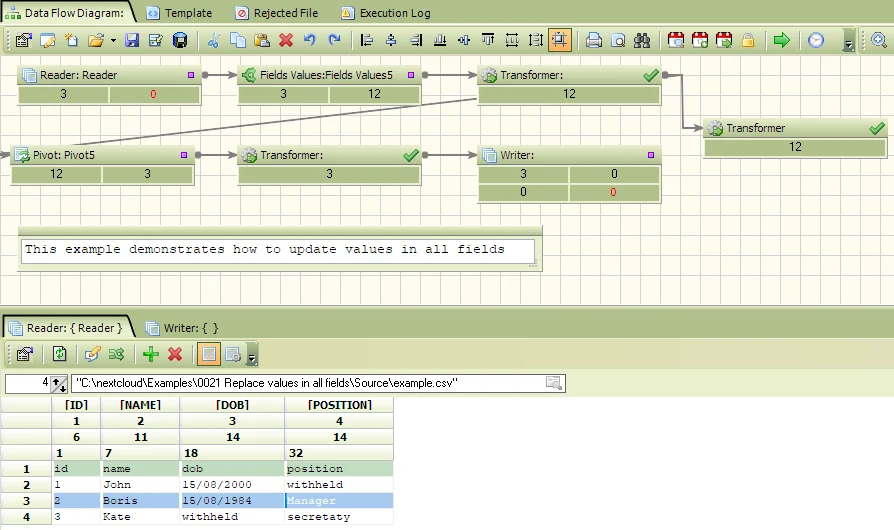
Transformation
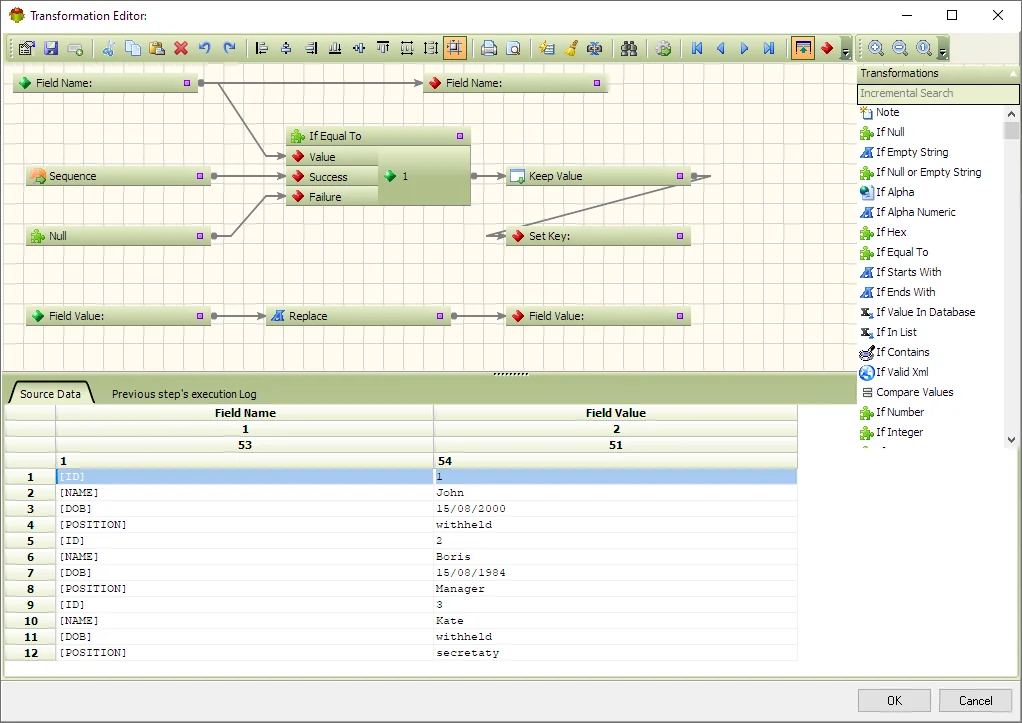
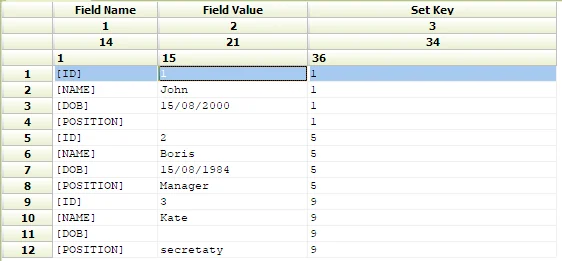
Transformation result
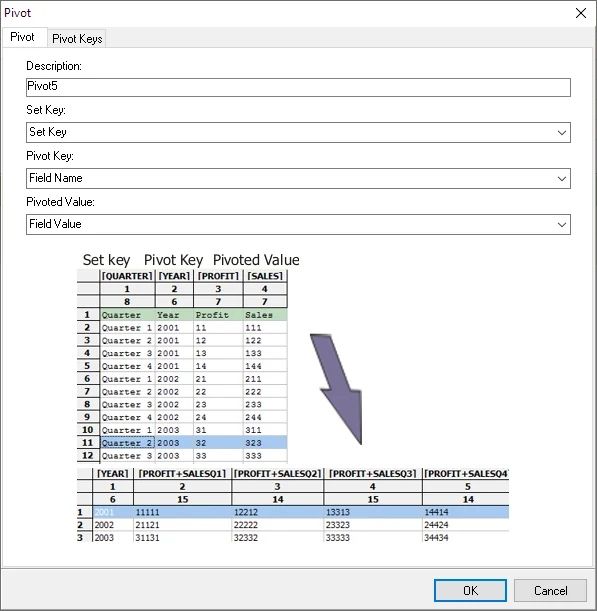
Pivot
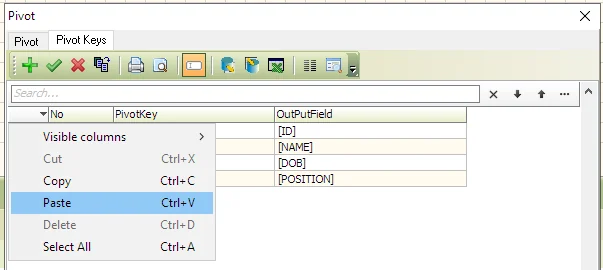
Pivot converts field name and field value pairs back to the original format.
Pivot keys
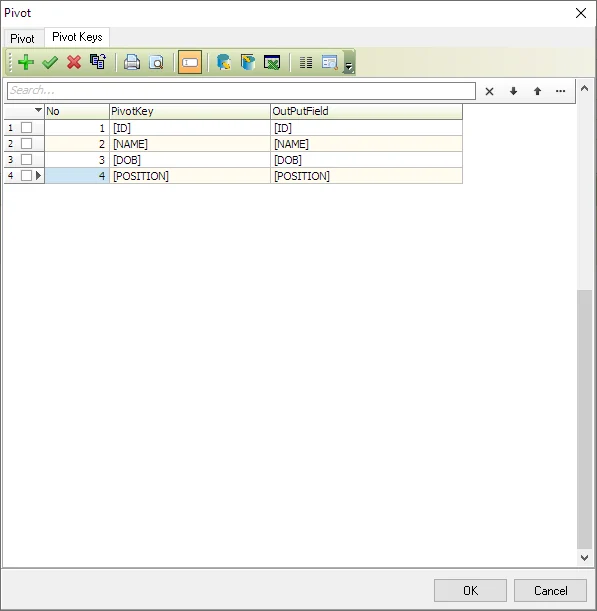
Tip: Populating pivot keys can be very time-consuming. It is much faster to prepare a list of fields in Excel and insert it.
To view the example follow the steps below
- Download and install Advanced ETL Processor [Link]
- Download and unzip the example [Link]
- Create a new transformation and open the .ats file
- Double-click the Reader object and amend the source file path
- Double-click the Writer object and amend the target file path
- Run the transformation by pressing the green arrow.
Related Advanced ETL Processor resources
For more automation examples, review the Advanced ETL Processor tutorials, read the WIKI, or download the Advanced ETL Processor Enterprise trial.