Configuring PostgreSQL Repository
The repository database stores all the information about connections, transformations, packages, SQL scripts, reports, and execution logging. This is where the results of ETL designer hard work is stored, and obviously, no one wants to lose it.
About
This article provides information about configuring PostgreSQL Repository connection
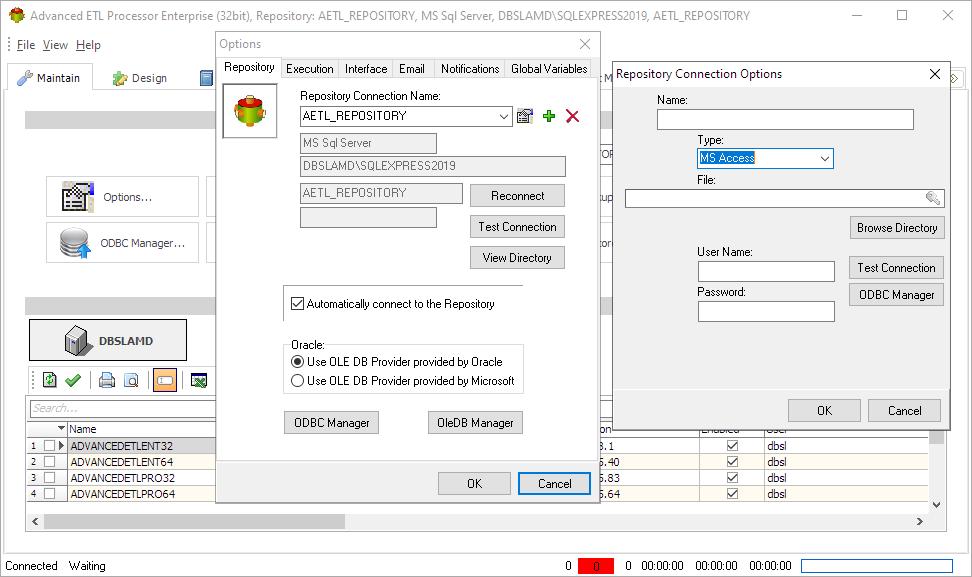
To create new PostgreSQL repository connection
- Click Options
- Click Plus
- Enter a connection name
- Set type to ODBC
- Select/Enter ODBC DSN Name
- Enter username and password
- Select database name
- Make sure that connection actually works
DSN Parameters


Although it is possible to use PostgreSQL as repository we always recommend using MS SQL Server express. It is free and the easiest option
For more technologies supported by our ETL Software see Advanced ETL Processor Versions
Confused? Ask question on our ETL Forum