Extracting Text from PDF File
Preparation
Download and install Python from python.org .
Then, open the command prompt and run:
pip install pdfminer
This installs PDFMiner, a Python library for extracting and analyzing text from PDF files. Unlike other PDF tools, PDFMiner focuses on precise text extraction, including font details, text positions, and structure. It also includes a PDF converter for transforming PDFs into formats like HTML.
More details: PDFMiner on PyPI
Extracting Data
PDFMiner provides the pdf2txt.py script, which converts PDFs into Text, XML, or HTML.
To extract text from a PDF, use:
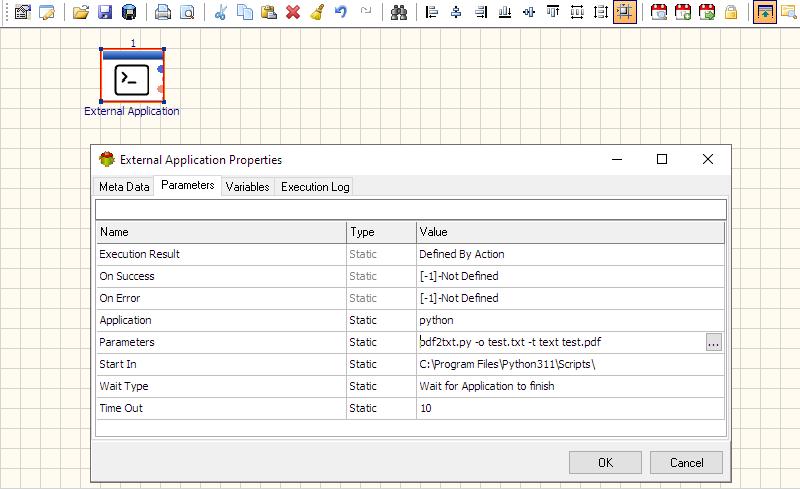
python C:\Python27\Scripts\pdf2txt.py -o test.txt -t text test.pdfRunning Python Scripts from the Package
Use the “External Application” Package Action:
Dealing with Encrypted PDF Files
Use QPDF to decrypt PDFs:
qpdf -password= --decrypt test.pdf test1.pdf
Note: Some PDFs are encrypted with empty passwords.
For more technologies supported by our ETL Software see Advanced ETL Processor Versions
Confused? Ask question on our ETL Forum