Mastering Data Transformation: A Comprehensive Guide
Data transformation is the process of converting raw source data into consistent, usable output for reporting, analytics, and automation. In ETL projects, transformation is where data quality is won or lost, because this is where validation, standardization, and business rules are applied.
If your source files are chaotic, this is the part that turns them into something trustworthy. You can build these workflows directly in Advanced ETL Processor Enterprise. Think of it as converting “random spreadsheet energy” into repeatable operations (with fewer 7:00 a.m. surprises).
What data transformation includes in real ETL work
Transformation covers cleansing, type conversion, normalization, deduplication, aggregation, enrichment, and integration across sources. The goal is not cosmetic cleanup. The goal is output that can be trusted by finance, operations, and analytics teams.
In practice, strong transformation logic prevents downstream report disputes and reduces manual rework.
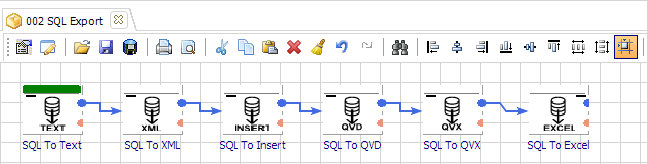
ETL transformation steps that usually matter most
- Extract: collect source records from files, APIs, and databases.
- Clean: remove duplicates, fix format drift, and flag invalid values.
- Transform: apply mappings, calculations, and business rules.
- Integrate: align data from different systems into one model.
- Load: deliver consistent output to warehouse or reporting target.
Reference definitions from AWS and IBM describe the same core pipeline.
Data transformation vs data manipulation
Transformation changes structure and quality so data becomes usable across systems. Manipulation is what analysts do afterward to answer specific questions, such as filtering, grouping, and summarizing.
Both are important, but transformation comes first. If the structure is wrong, the analysis will be confidently wrong.
Two topics teams often miss: lineage and rollback paths
Lineage tells you where each output field came from, which mapping touched it, and when it changed. Without lineage, debugging turns into archaeology.
Rollback paths let you recover quickly when source changes break a mapping. Keep previous mapping versions and retain source snapshots where possible.
One support story worth remembering
We once reviewed a transformation that failed only on month-end runs. The cause was one source row with a text value in a numeric field. After adding explicit type validation and exception routing, the workflow stabilized. One rogue field can break a full cycle if validation is optional.

When not to over-engineer transformation pipelines
If your requirement is a one-time conversion with stable input and no recurring schedule, a smaller workflow is usually enough. Not every job needs full enterprise orchestration.
One practical opinion: spending weeks maintaining custom transformation scripts is rarely cheaper than a reliable ETL setup with clear logging and direct support.