Introduction to ETL Software
ETL software extracts data from source systems, transforms it into a consistent structure, and loads it into a target system for reporting and analytics. In most cases, you use ETL to replace repetitive manual data work with scheduled, validated workflows. You can build this directly in Advanced ETL Processor Enterprise.
If someone says “it is just a spreadsheet,” make tea first. The sheet usually has mixed types, hidden tabs, and one cell that thinks N/A is a date. ETL exists to make this process boring and repeatable, which is the highest compliment in operations.
ETL means extract, transform, and load in that order
Extract pulls data from files, databases, APIs, and cloud services. Transform standardizes formats, validates values, and applies business rules. Load writes the cleaned output into a warehouse, database, or reporting layer. References from IBM and AWS describe the same core pattern.
The point is not technical elegance. The point is trustworthy numbers every day without heroic manual effort.
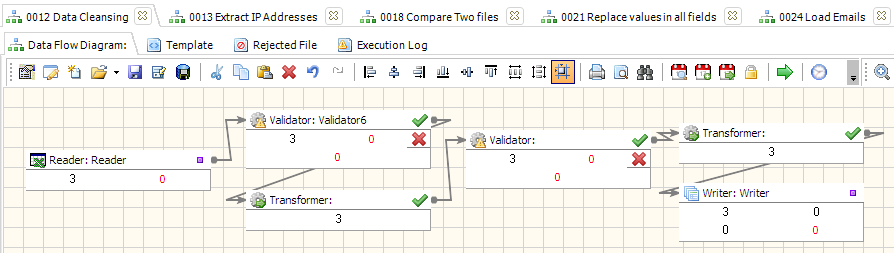
Why teams adopt ETL software instead of manual scripts
- Consistency: one workflow runs the same way each cycle.
- Quality checks: validation catches bad rows before they pollute reports.
- Speed: scheduled runs remove repetitive copy-paste work.
- Traceability: logs show what happened and when.
- Scale: the same design can handle bigger volumes over time.
Rule of thumb: if you do the same data task twice, automate it. If you do it three times manually, you are now the bottleneck.
Core features that matter in a first ETL rollout
Feature lists are long, but first projects usually depend on five things: reliable source connectors, practical transformations, clear mapping, failure handling, and scheduling. If one of these is weak, operations pain arrives quickly.
Start with one source and one target. Add validation rules early. Then schedule once the output is stable on sample data.
Data contracts reduce rework more than new connectors
Many “introduction” articles skip data contracts. Define who owns each field, valid formats, and update windows before expanding pipelines. This prevents downstream arguments about whether wrong values are “system behavior” or “source reality.”
When you should not use full ETL software yet
If your task is a one-off export with stable data and no recurring schedule, a simple controlled script may be enough. Not every job needs platform overhead on day one. Use ETL software when repeatability, auditability, and team handover become requirements.
One short story from support
A customer reported a failing import. The root cause was one N/A inside a date column. After adding a validation rule and exception route, the pipeline ran cleanly. One rogue value can derail a full schedule if checks are missing.
One practical opinion
“Free” ETL often becomes expensive when setup and maintenance consume engineering weeks. Predictable tooling with direct support is usually cheaper in real operations than a zero-licence workaround with no ownership.