Avoiding the Cloud ETL Trap
Short answer: the cloud ETL trap is paying monthly for convenience, then discovering you also pay for runs, connectors, data movement, and surprises. In most cases, the fix is simple: calculate total cost first, keep raw data under your control, and automate with a pricing model you can predict.
What the cloud ETL trap actually is
The trap is not cloud technology itself. The trap is cost structure. You start with a low entry price, then your invoice grows as usage grows. A bit like adopting a "free" puppy and then discovering the food bill, vet bill, and sofa replacement bill.
IBM defines ETL clearly as extract, transform, and load into a target system, but how you pay for that pipeline varies widely across vendors. See IBM’s ETL overview for baseline terminology.
Why teams fall into it
- Cloud onboarding is fast, so procurement friction is low.
- Early workloads are small, so bills look harmless.
- Pricing pages rarely model your real future volume.
- Connector, execution, and support costs are split across different line items.
Rule of thumb: if pricing cannot be estimated on one spreadsheet tab, it will probably become expensive at scale.
Privacy and compliance risks are often underestimated
If your pipeline handles finance, HR, healthcare, or customer data, data location and legal access rules matter. Microsoft’s Azure ETL guidance and architecture docs are useful for planning controls, but your compliance team still needs clarity on jurisdiction, retention, and auditability. See Azure ETL architecture guidance.
In practice, many teams do not struggle with building pipelines. They struggle with proving where data is, who can access it, and how costs are controlled.
When cloud ETL still makes sense
- Short-lived projects with clearly bounded data volumes.
- Teams with cloud-native governance already in place.
- Use cases where managed operations are worth the premium.
Tell-people-when-not-to-hire-us moment: if you run a tiny monthly import and it works, keep it simple. You may not need a platform change yet.
A practical decision checklist before you commit
- Estimate 12-month cost at current and 3x projected volume.
- List every fee type: executions, connectors, transfer, support.
- Confirm where data is stored and who can access it.
- Run one full workflow on real sample data before rollout.
- Keep raw source data untouched for rollback.
We have seen this pattern repeatedly: one customer moved from a “free” route with scripts to a configured workflow in a single afternoon. The software cost was visible. The saved engineering time was the real win.
If your workflow also involves warehouse performance and file format choices, read Benefits of Using Parquet for Data Warehousing next.
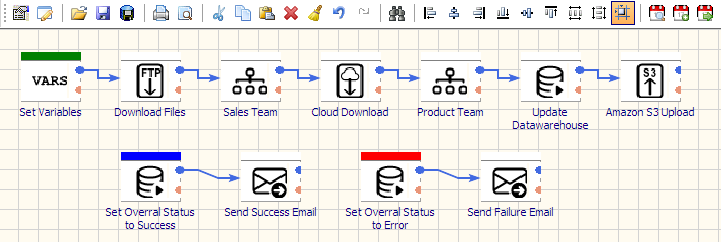
If you want a predictable self-hosted route, start with Advanced ETL Processor Enterprise, compare editions on the editions page, and review setup guides in tutorials.
Video: cloud automation with predictable ETL workflows
FAQ
What is the cloud ETL trap?
It is when ETL pricing starts low but scales into unpredictable monthly spend through usage-based charges and add-on fees.
Is cloud ETL always more expensive?
No. For low-volume or short-term projects, it can be cost-effective. Cost pressure usually appears as execution frequency and data volume grow.
How can I avoid vendor lock-in?
Use open formats, keep raw copies, document mappings, and validate export/migration paths before committing long term.
What should I measure before choosing an ETL model?
Track data volume growth, run frequency, connector needs, compliance requirements, and total 12-month cost, not just month one.
Can I automate ETL without scripting?
Yes. You can configure full read-transform-write workflows visually in Advanced ETL Processor Enterprise.