0005 How to Transform a Simple XML file
A practical Advanced ETL Processor example for building, testing, and adapting one automation workflow.
Use this example to build one working automation package, test it safely, and then adapt it to your own files, folders, or data rules. Start small. Automation is helpful; automated mistakes are just faster mistakes.
This Example Demonstrates how to Convert simple XML into a delimited file
Source XML
Here is an XML example, it is very well structured therefore there no need to perform additional transformations.
                    <Table>
<Record>
<ID>1</ID>
<Company>James Bond Production</Company>
<Amount>13</Amount>
</Record>
<Record>
<ID>2</ID>
<Company>Green Cloud</Company>
<Amount>14</Amount>
</Record>
</Table>
Steps to follow
- Download and install Advanced ETL Processor [Link]
- Download and Unzip example [Link]
- Create a new transformation and open the .ats file
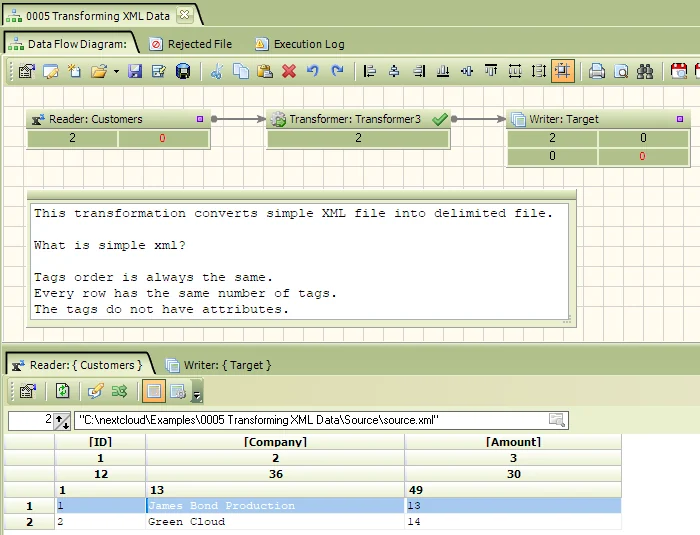
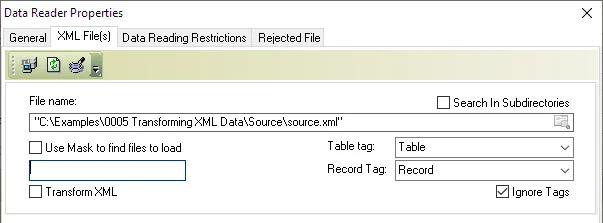
- Double click on the reader and select source.XML file
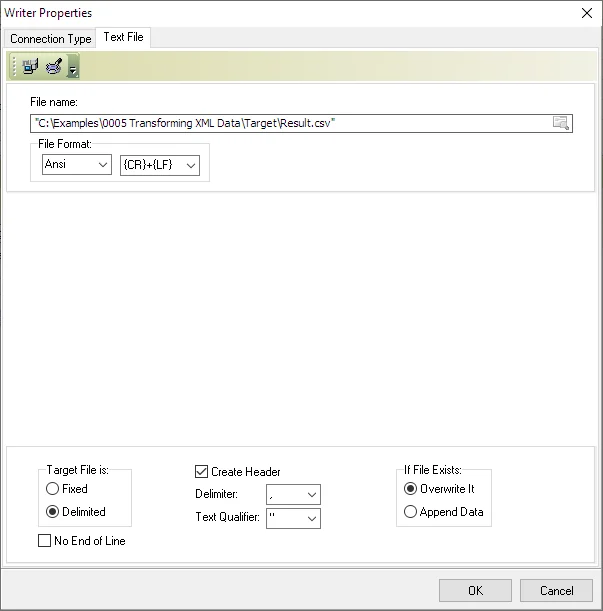
- Repeat the process for the data writer (Point it at the result.csv file)
- Run the transformation by pressing the green arrow.
Related Advanced ETL Processor resources
For more automation examples, review the Advanced ETL Processor tutorials, read the WIKI, or download the Advanced ETL Processor Enterprise trial.