- Posts: 65
- Thank you received: 16

Redirect output
- hanisultan
-
 Topic Author
- Offline
- Senior Member

Less
More
3 years 2 months ago #22821
by hanisultan
Redirect output was created by hanisultan
Hello, I have been using sqlcmd via external application action and was working great. Now I'm trying to capture the execution results in a text file, so I added this line at the end
>C:\Users\Desktop\Executionlog\executionresults.txt and it doesn't work - it works fine in the cmd line and produces the file but not in the External Application action object, just fails. Any idea? if you need additional information let me know. Thank you
>C:\Users\Desktop\Executionlog\executionresults.txt and it doesn't work - it works fine in the cmd line and produces the file but not in the External Application action object, just fails. Any idea? if you need additional information let me know. Thank you
Please Log in or Create an account to join the conversation.

3 years 2 months ago #22822
by admin
Mike
ETL Architect
Replied by admin on topic Redirect output
It might have something to do with access rights to the folder
Anyway instead of redirecting using > you can try -o option of sqlcmd
sqlcmd -S myServer\instanceName -i C:\myScript.sql -o C:\DATA\YOURUTPUTFILE.txt
Anyway instead of redirecting using > you can try -o option of sqlcmd
sqlcmd -S myServer\instanceName -i C:\myScript.sql -o C:\DATA\YOURUTPUTFILE.txt
Mike
ETL Architect
Please Log in or Create an account to join the conversation.
- Peter.Jonson
-

- Offline
- Administrator

3 years 2 months ago #22823
by Peter.Jonson
Peter Jonson
ETL Developer
Replied by Peter.Jonson on topic Redirect output
I have created a very basic example and it worked as expected.
Here are the pictures

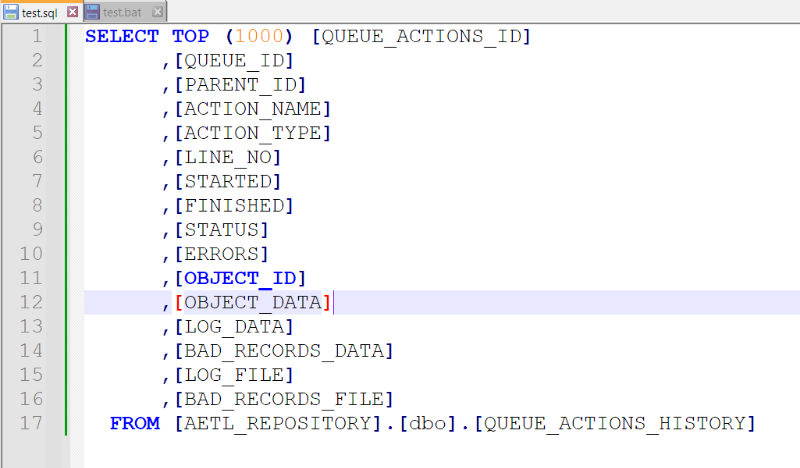
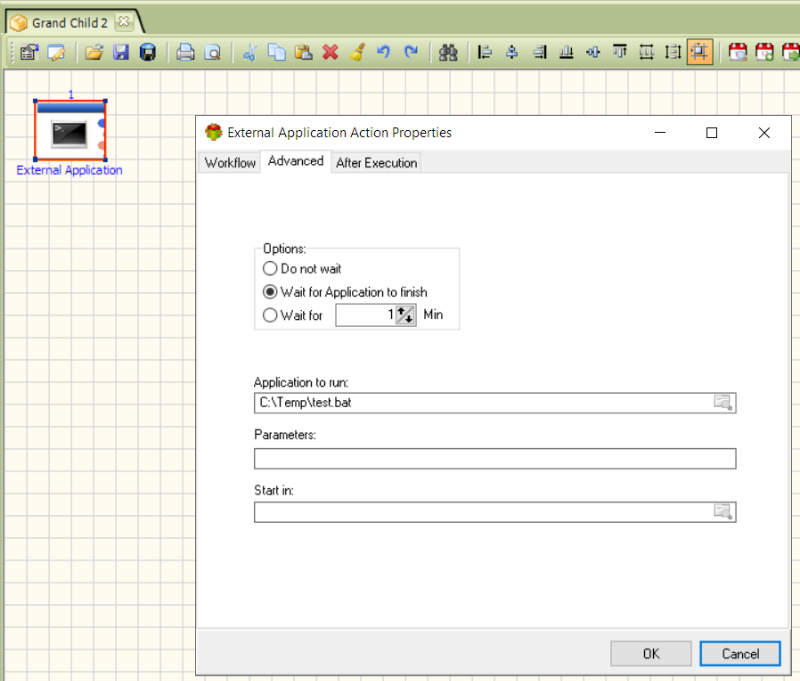
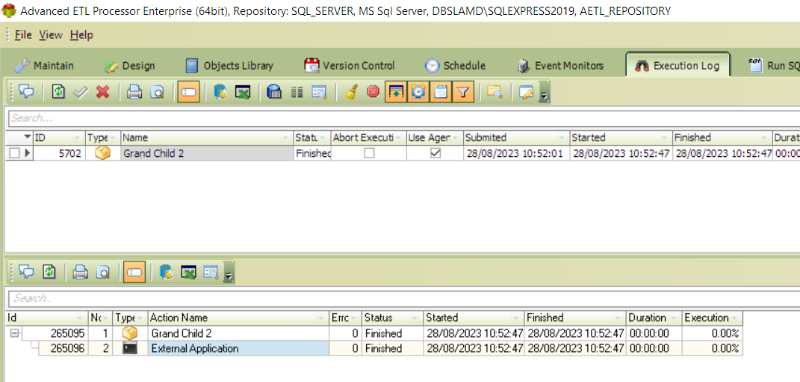
Here are the pictures
Peter Jonson
ETL Developer
Please Log in or Create an account to join the conversation.
- hanisultan
-
Topic Author
- Offline
- Senior Member
Less
More
- Posts: 65
- Thank you received: 16
3 years 2 months ago #22824
by hanisultan
Replied by hanisultan on topic Redirect output
For this I need to use the cmd line because I have multiple execution and I need to keep track of each separately, so I have to use -o option, this is great and thank you for doing the example. I tested it and worked nicely. If I use the batch file and I place variables in it, would the ETL replace variables with values inside the batch file?
Please Log in or Create an account to join the conversation.
- Peter.Jonson
-
- Offline
- Administrator
3 years 2 months ago #22827
by Peter.Jonson
Peter Jonson
ETL Developer
Replied by Peter.Jonson on topic Redirect output
If I use the batch file and I place variables in it, would the ETL replace variables with values inside the batch file?
Our software will not replace variables inside the batch file.
What you can do instead is to use batch parameters
batch file test.bat:
sqlcmd -S DBSLAMD\SQLEXPRESS2019 -i C:\Temp\test.sql > %1
Then you can execute it like this:
test.bat C:\Temp\output.txt
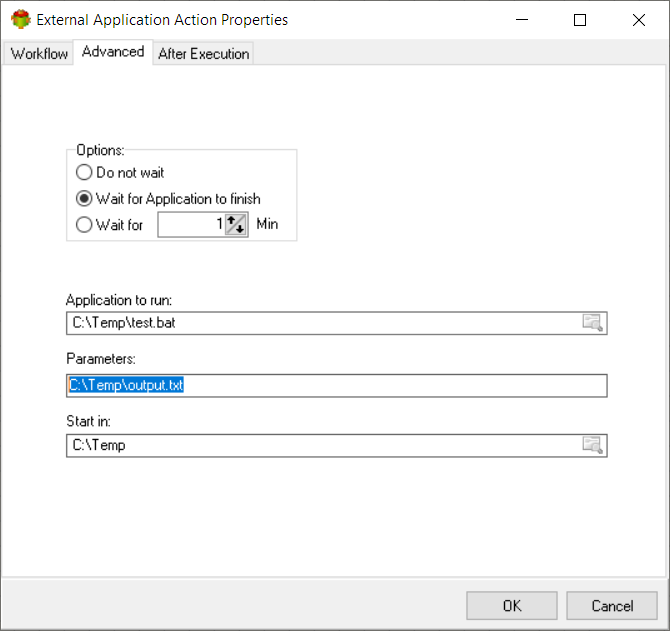
Our software will not replace variables inside the batch file.
What you can do instead is to use batch parameters
batch file test.bat:
sqlcmd -S DBSLAMD\SQLEXPRESS2019 -i C:\Temp\test.sql > %1
Then you can execute it like this:
test.bat C:\Temp\output.txt
Peter Jonson
ETL Developer
The following user(s) said Thank You: hanisultan
Please Log in or Create an account to join the conversation.